







If you're looking for AI-powered automation with loads of easy integrations, Zapier’s AI features could be a good fit.
However, if you want to run larger numbers of AI automations at an affordable price, Lindy is an attractive option.
Read on to learn:
- Zapier’s AI features vs traditional Zaps
- Who benefits most from Zapier’s AI features
- How much Zapier’s AI features cost
- How these features stack up against Lindy, an AI-first automation platform
- When to choose Zapier and when Lindy is the better choice
Zapier’s AI features
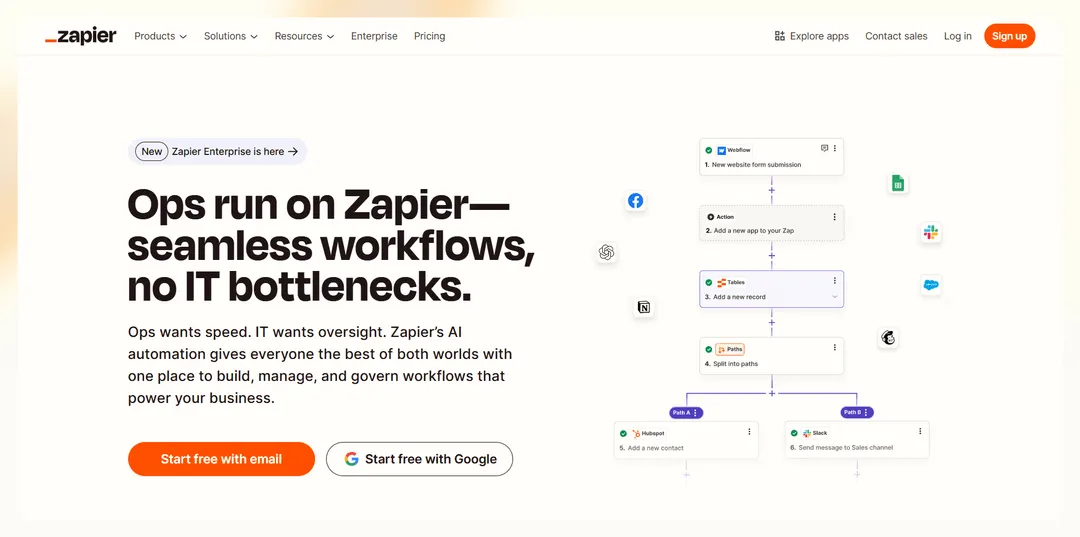
Zapier is best known for automating repetitive tasks by connecting apps. Traditionally, it followed a strict "When X happens, do Y" structure. Simple and effective, but not exactly the most adaptable.
However, now Zapier’s added popular AI features using chatbots, actions, and AI agents to handle more complex workflows. Copilot uses AI to set to help you set these up.
Zapier’s AI features don’t just move data from one app to another — they can help analyze text, generate responses, and choose actions based on context. That means they can summarize emails, categorize support tickets, or trigger the right workflow based on the details it processes. Here’s how these AI-powered features work:
AI Actions
Zapier's workflows (known as "Zaps") operate on a trigger-action model: When a specified event occurs in one app, Zapier performs a predefined action in another. For example, receiving a new email (trigger) could automatically save its attachment to Dropbox (action).
With the introduction of AI Actions, Zapier extends this functionality by allowing AI to dynamically determine and execute actions based on contextual understanding. This means AI can analyze data and decide the appropriate course of action without explicit, predefined instructions.
For example, an AI chatbot that collects leads doesn’t have to just do 1 thing — it can automatically send those leads to your CRM, notify your team, or trigger an email follow-up. The AI becomes a more versatile part of the workflow instead of just doing a task and stopping.
AI Chatbots
Zapier’s AI Chatbots let you create custom-branded chatbots that pull answers from your own knowledge base — web pages, PDFs, or Zapier Tables.
The AI allows these bots to analyze context, match inquiries with the most relevant data, and adapt responses accordingly.
For example, if a customer asks about a product’s return policy, the chatbot can extract the correct answer from a company’s FAQ document. If the same question is phrased differently, the AI can still recognize the intent and provide the right information.
Beyond answering questions, these bots can collect user data, qualify leads, and even trigger actions in your apps. For example, a chatbot on your website could gather contact details, score the lead, and pass the info to your CRM.
Zapier Copilot
Instead of manually setting up workflows, Copilot lets you describe what you need in plain language, and it builds the Zap for you.
For example, if you type: "Whenever a new Shopify order comes in, add the customer to HubSpot and send a Slack alert," Copilot sets it up — triggers, actions, and mappings included.
It also helps troubleshoot errors and suggests fixes, making it easier to build automations without trial and error.
Zapier Agents
Agents use AI to execute multi-step tasks on their own — without needing a fully mapped-out Zap. While traditional Zaps require each step to be manually mapped out, Agents have built-in intelligence that allows them to analyze inputs, decide on the next action, and handle variations in tasks without constant intervention.
For example, an Agent monitoring emails could sort incoming messages, send auto-replies, create tasks in a project management tool, and escalate urgent issues. Unlike a traditional Zap that follows rigid steps, an Agent can, in some cases adjust based on the content it receives — depending on how it’s set up and what instructions it has been given.
AI Fields in Zapier Tables
If you’re using Zapier Tables, AI Fields lets you automate tagging, categorization, and summaries without manual input.
For example, if you collect customer reviews, an AI Field could analyze sentiment and label feedback as Positive, Neutral, or Negative automatically. It works like a built-in assistant that fills in the details for you.
How Zapier’s AI features differ from traditional Zapier automation
Zapier’s AI can build off the simple ways of creating Zaps, but take them to the next level. It lets you string Zaps together and add modules to process data and make decisions. Here’s how they compare:
Who are Zapier’s AI features best for?
Zapier’s AI features are useful when automation needs more than simple trigger-action rules. If your workflows involve unstructured data, decision-making, or interaction, using Zapier’s AI features might be a good fit. Here’s who will benefit most:
- Teams dealing with unstructured data: Zapier’s AI features can help summarize emails, categorize responses, and extract key details from text automatically.
- Customer support teams: AI chatbots can reference documentation, collect user information, and trigger actions like ticket creation without human intervention.
- Sales and marketing teams: These users get to score leads, qualify inquiries, and trigger personalized follow-ups using AI — reducing the need for manual sorting.
- Operations and IT teams: AI-powered workflows can route requests, prioritize tasks, and adjust actions based on real-time inputs.
- Small business owners: Zapier Copilot can generate automations from simple descriptions, making setup easier for those without technical expertise.
Pros and cons of Zapier’s AI features
Zapier’s AI features have their strengths, but they’re not without drawbacks. While they make automation easier, factors like pricing, AI reliability, and potential errors are worth considering. Here’s a breakdown of where it shines and where it falls short:
Pros
- ✅ Easy to set up: No coding required, and Copilot can generate workflows from a simple description.
- ✅ Works with thousands of apps: Zapier supports many integrations, making it easy to connect different tools.
- ✅ AI-driven features add intelligence: Can process text, make decisions, and automate tasks that require more than just data transfer.
- ✅ Chatbots and AI Agents can interact with users: They handle inquiries, collects information, and triggers actions without human input.
- ✅ Error handling is built-in: AI can diagnose issues and suggest fixes, reducing manual troubleshooting.
Cons
- ❌ Not a full replacement for human judgment: AI can automate decision-making, but it’s not perfect at handling complex or nuanced situations.
- ❌ More automation means more potential errors: Complex workflows can break, requiring ongoing adjustments.
- ❌ Limited offline functionality: Automation depends on cloud-based apps, so if an integration goes down, workflows can be disrupted.
How much do Zapier’s AI features cost?
Zapier offers several AI-powered features — such as Agents, Interfaces, Tables, and Chatbots — each with its own pricing structure. Here's a detailed breakdown:
1. Zapier Agents
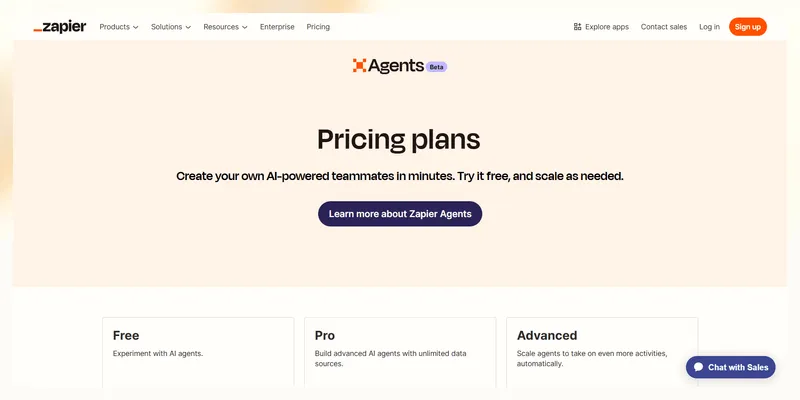
Zapier Agents are AI-driven assistants that can automate tasks across various applications. The pricing for Agents is as follows:
- Free plan: Allows up to 400 activities per month.
- Pro Plan: Supports up to 1,500 activities per month at $50 per month. For needs beyond this, custom plans are available upon consultation.
2. Zapier Interfaces
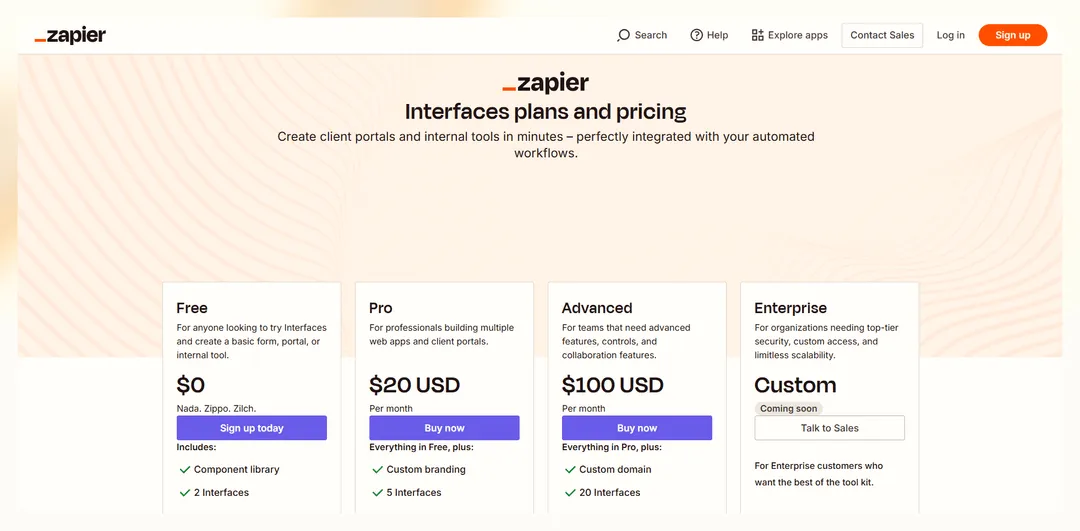
Interfaces enable users to create custom forms, web pages, or applications integrated with over 6,000 apps without coding. The pricing tiers are:
- Free Plan: Includes basic components and up to 2 Interfaces.
- Pro Plan: Priced at $20 per month, it offers advanced features like custom branding and supports up to 5 Interfaces.
- Advanced Plan: At $100 per month, this plan includes custom domains and supports up to 20 Interfaces.
- Enterprise Plan: Customized solutions for organizations requiring enhanced security and scalability.
3. Zapier Tables
Tables provide a way to store and manage data within Zapier workflows. Currently, Tables are in beta and available for free. However, Zapier plans to introduce paid plans in the future.
4. Zapier Chatbots
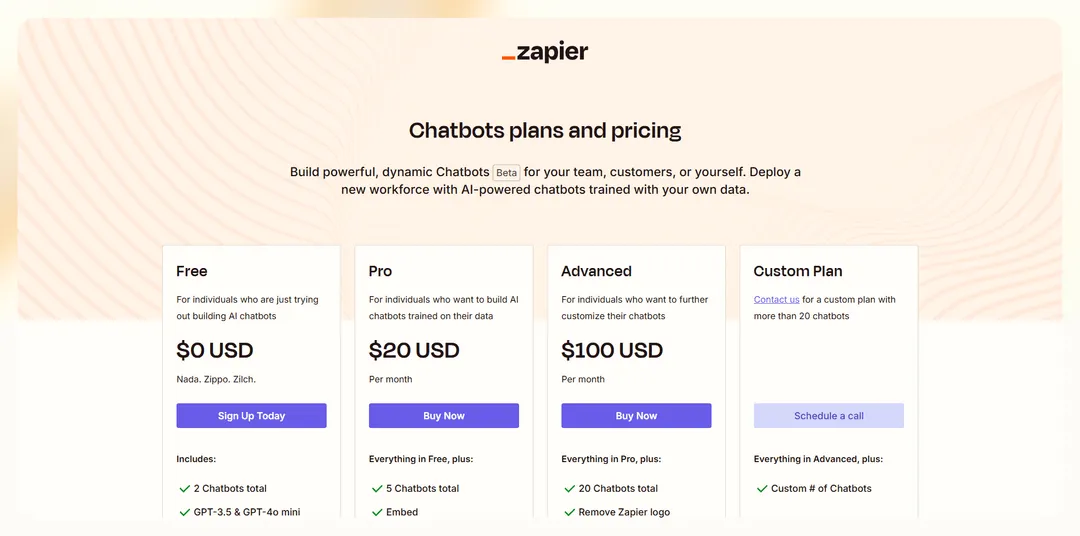
Zapier's AI-powered Chatbots can be embedded into websites to interact with users and automate responses. The pricing structure is:
- Free plan: Allows for basic chatbot functionalities.
- Paid plans: Start at $20 per month, offering advanced features and customization options.
Are Zapier’s AI features free?
Zapier's AI features are available across all plans, including the Free plan. However, access to advanced automation tools and certain AI capabilities is tied to higher-tier subscriptions. For instance, AI-powered tools like Copilot, AI-powered troubleshooting, and AI-assisted data mapping are accessible across all pricing tiers.
Plus, Zapier offers "AI power-ups," which improve Zaps by generating code steps, mapping data fields across apps, writing documentation for Zaps, and troubleshooting errors. These AI power-ups are included in higher-tier plans, such as the Professional plan, which starts at $19.99 per month when billed annually.
Zapier pricing plans compared
Choosing the right plan depends on how much automation you need and whether AI features are necessary. Here’s how the different plans stack up:
Lindy: A new challenger in the AI automation space
Lindy is built from the ground up as a platform for AI agent creation with plenty of prebuilt automations and an easy-to-use interface to quickly add AI agents to workflows. These agents are called “Lindies” and they can:
- Handle phone calls on your behalf: Lindies can handle inbound calls with AI to further automate your sales and marketing pipelines. Plus, if you’re thinking about connecting with clients proactively, you can use them as outbound phone call agents (and they that speak over 50+ languages to expand your global reach).
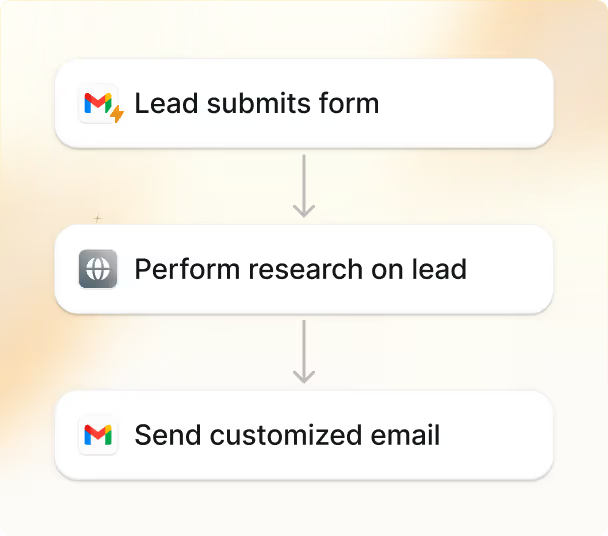
- Do lead outreach at scale: A Lindy has plenty of prebuilt automation to handle lead generation, enrichment, outreach, and more. It automatically engages new leads and handle follow-ups in your voice.
- Better capitalize on meetings: You can automatically schedule meetings and take notes. Or get a Sales Coach Lindy who examines your calls and provides actionable feedback. Others can even help you bring direct customer feedback to your team through Slack.
{{templates}}
Zapier’s AI features vs Lindy: Which one is best?
Both Zapier and Lindy offer automation powered by AI, but they approach it differently. Zapier is the well-established giant that added AI to its popular l rule-based workflows (Zaps). Lindy is the AI-first alternative to Zapier. This means Lindy was created with AI baked into it. But where does it set itself apart from Zapier? Here’s how they compare:
When to choose Zapier’s AI features
- You need general automation for structured data and are comfortable manually defining workflows.
- You rely on a vast library of integrations — Zapier connects with 7,000+ apps, making it the best choice if you need automation across a wide range of software.
- You prefer a guided, step-by-step approach using a chatbot-like interface rather than a visual workflow builder.
- You want AI-powered enhancements but still need to control every step of your automation with predefined logic.
When to choose Lindy
- You want an AI-first automation tool. Lindy focuses on AI-driven workflows rather than just adding AI to existing rule-based automation.
- You prefer a 2D visual interface where you can map workflows like a flowchart, rather than being limited to a linear, chatbot-like UI.
- You need specialized AI use cases — for example if you want to automate meeting scheduling, have Lindy take notes, and send summaries, Lindy does this out-of-the-box.
- You want a more affordable price for larger numbers of tasks — Lindy’s starting plan is $49/month for 5,000 tasks while Zapier charges $133/month for 5,000 tasks (although tasks are counted a bit different). Try Lindy’s free plan to see if 400 tasks are enough.
FAQs
What integrations are available with Zapier?
Zapier connects with over 7,000 apps — making it the go-to platform for integrations. It allows AI automation across email, spreadsheets, CRMs, messaging platforms, and more. Popular integrations include Gmail, Google Sheets, Slack, HubSpot, Notion, and OpenAI’s GPT-4, DALL·E, and Whisper.
Note: For a more comprehensive list of integrations, check Zapier’s official AI integrations website.
{{cta}}
Try Lindy: AI automation that lets you do more
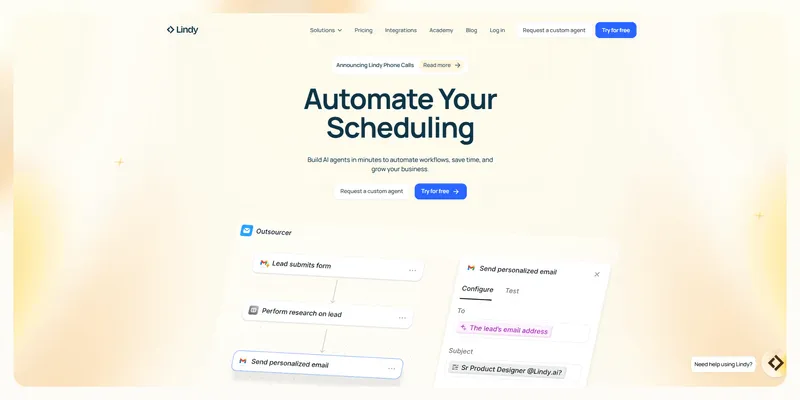
Lindy provides automation across multiple business functions, from handling emails and sales processes to managing CRM updates and workflow execution.
Its canvas-style automation builder and a myriad of pre-built templates make it simple to get started with an out-of-the-box Lindy or even try experimenting with your own custom automations.
Whether you need automation for email triage, lead qualification, or support ticket dispatching. Lindy makes sure that tasks are handled intelligently and efficiently. Plus, Lindy’s pricing is transparent, with no hidden fees or unexpected costs.
Ready to experience AI automations that let you do more? Try Lindy for free today



.png)
.png)
.png)
.png)
.png)
.png)


