





More and more individuals and businesses are foregoing fumbling through manual processes and opting for digital assistants. These tools can understand instructions in natural language and carry out simple jobs like searching the web and finding products on Amazon.
They can also execute more advanced, business-related tasks, such as writing emails, scheduling appointments, and answering customer questions.
Let’s review what digital assistants are, what they’re not, and how they help business owners and employees.
In this article, we’ll cover:
- Basics of digital assistants
- How they work and how businesses use them
- Benefits of implementing one
- Real-world digital assistant use cases
- Top 3 digital assistants on the market today
- Why Lindy.ai is your best digital assistant platform
Read on for an overview.
What is a digital assistant, anyway?
In a nutshell, digital assistants are software programs that use artificial intelligence (AI) to have natural conversations and complete tasks for users.
The best of the best can understand full sentences, have discussions, and learn user preferences over time. They do so using natural language processing (NLP) and machine learning to understand natural speech and respond fluently and conversationally. This makes interacting with them more human-like (and fun).
They can handle more complex requests than traditional chatbots, like booking flights on the internet, and their advanced AI allows back-and-forth conversation.
A good digital assistant will adapt to users by understanding context and remembering preferences. Basically, the more you use one, the more personalized it becomes.
Digital assistants allow us to devote our time and energy to more creative and meaningful work. Thus, they complement and augment our intelligence rather than replace it outright.
How do digital assistants work?
As we’ve established, digital assistants are complex AI systems that use state-of-the-art machine learning and natural language processing (NLP) techniques.
Here's a quick look at how they do their thing:
- NLP: We touched on this process earlier — it allows the assistant to understand human language, including slang, accents, and context. NLP breaks down speech into parts and analyzes meaning.
- Machine learning: Assistants store conversations to improve over time. The more people use an assistant, the smarter it gets. Also, machine learning algorithms enable the assistant to handle new questions and tasks.
- Knowledge base: This is like a giant database of facts that the assistant can pull from to answer questions and follow up on conversations. The knowledge graph expands as the assistant learns.
- Voice recognition: This transcribes human speech into text that NLP can analyze. Voice recognition improves with machine learning.
- Natural conversations: With all these technologies combined, digital assistants can understand requests, ask clarifying questions if needed, pull relevant information, and deliver it conversationally (and some would say a bit cheekily).
So, in a nutshell, advanced AI gives digital assistants human-like communication abilities that keep getting better the more we use them.
{{templates}}
The 3 types of digital assistants
Now that you know some of the tasks these platforms can execute, let's take a look at the 3 varieties of digital assistants:
- Voice assistants: These interpret and respond to spoken commands, enabling hands-free interaction with gadgets, appliances, and the internet. They assist you with daily tasks, including setting reminders, playing music, providing information, and controlling smart home devices. Google Assistant, Alexa, and Siri are examples.
- Text-based chatbots and AI assistants: These communicate with you through typed text, respond to your questions or commands, and provide information. They can also execute tasks, such as summarizing documents, extracting information, and writing articles. Examples are ChatGPT-4, IBM Watson, and Lindy.
- Enterprise digital assistants: These are advanced software tools designed to support business operations by facilitating communication, managing tasks, and automating organizational processes. Used by large organizations, Oracle Digital Assistant and SAP CoPilot are examples.
How do businesses use digital assistants?
For businesses, digital assistants can take over those by-the-numbers customer service tasks, freeing up employees for higher-value work. They also scale with your growing business, meaning you won’t need additional hiring.
Here are just a few ways that digital assistants can amplify business operations:
- Automating repetitive, boring tasks: Digital assistants can handle many repetitive customer service queries, which gives employees the time and energy to pursue more meaningful tasks. Plus, they’re always on, with no breaks or time off.
- Helping customers: Customers appreciate the quick, customized service from digital assistants. There’s no being put on hold, no wait times, and no misunderstandings, which they greatly appreciate.
- Generating insights: The AI behind digital assistants learns about customers' needs and preferences from conversations, which helps companies improve products and services.
- Bolstering brand image: Customers see companies offering digital assistants as innovative, high-tech, and focused on great service. Over time, this increases the brand’s visibility and customer loyalty.
In short, digital assistants can serve you in both your job and personal life. Their scalability and flexibility boost sales, HR, IT support, and a host of other business functions. On the other hand, they bring hands-free convenience to your day-to-day life
What are the benefits of using a digital assistant?
Using a digital assistant to sprinkle some AI into your business can offer a huge variety of benefits:
- Save time and boost productivity: Digital assistants can handle routine customer service requests, freeing up employees to pursue more mission-critical tasks. And they don’t mess up their day because they talked to that one angry customer.
- Quick and consistent: Digital assistants provide fast, uniform responses. Plus, they never get frustrated, talk back, or have an off day.
- Improve reliability: With a digital assistant, customers can get help 24/7. And, they can deliver all-around improved customer satisfaction by creating positive customer experiences — customers appreciate the immediate help they offer.
- Gather data and insights: The AI behind digital assistants “remembers” information from each interaction, and they can give businesses valuable analytics.
- Cut costs: Digital assistants can offer long-term savings by reducing manual effort and saving time. However, you will still need to pay some setup and maintenance cost.
- Scales easily: Digital assistants can handle increased demand without staffing up. Great for seasonal spikes or growth.
- Free up employees for higher-level work: Let your team focus on complex issues and innovation while digital assistants tackle routine inquiries.
What's the difference between digital assistants, chatbots, and virtual assistants?
Digital assistants, chatbots, and virtual assistants are all very similar, but there are some important differences that you can’t gloss over. Here’s a definition of each:
- Digital assistants: Think of these as the most versatile of the bunch. Many digital assistants usually use AI now and can handle simple to complex tasks. This includes voice-based web searches using Google Assistant, purchasing a new set of AirPods with Siri, or adjusting your thermostat using Alexa. Some advanced platforms like Lindy can perform business automations, like summarizing meetings, writing content, or even managing customer calls.
- Virtual assistants: Not to be confused with human virtual assistants, these AI versions are more task-focused. The term is usually used more in business, and they can do simple administrative and organizational tasks — kind of like a secretary. For instance, they’ll send reminders via email or text, schedule meetings, or sync third-party apps.
- AI chatbots: These are designed to hold a conversation — or at least simulate one. They’re built to interpret your questions and respond naturally. You’ll see them a lot in customer service, handling things like booking appointments or answering FAQs. The smarter ones can even pull data from spreadsheets or websites. And if the situation gets tricky or emotional, they know when to bring in a human. Think of them as the most conversational of the group.
When it comes to sizing up the differences between these tools, the bottom line is this: Digital assistants excel in speed, availability, and consistency — but for nuanced or sensitive inquiries, human agents still play a vital role.
Top 5 digital assistants in 2025
Now that we’ve established that digital assistants are the next big thing, let’s take a look at our 5 favorite digital assistant platforms:
1. Lindy: For businesses of all sizes
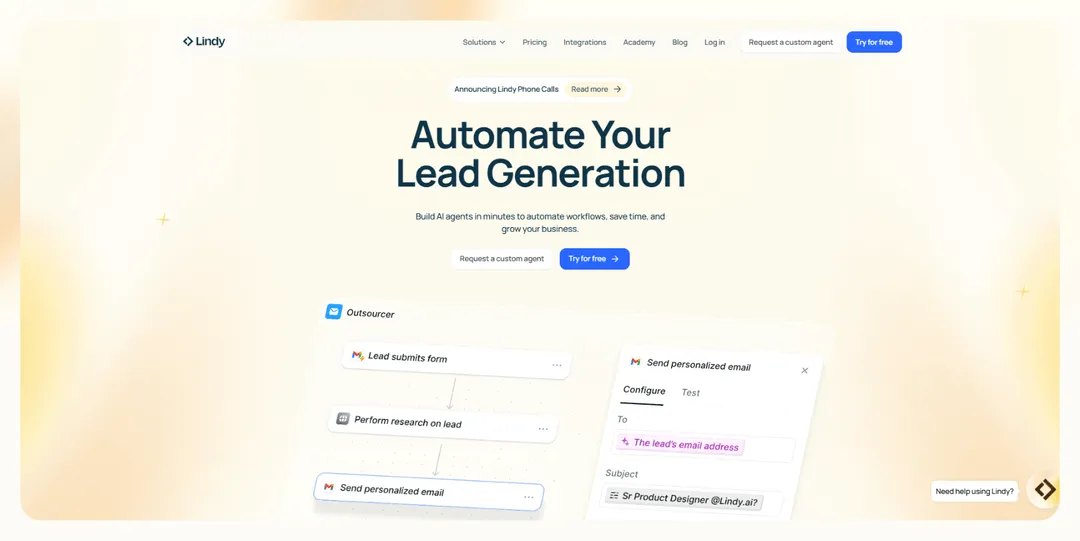
Lindy is an AI automation platform for building custom AI agents that can serve as your digital assistants. These agents can handle customer support tasks, generate and reach out to leads, respond to emails, and book meetings, and do many other jobs.
Features
- Choose from Lindy’s large library of pre-built templates to create AI agents called “Lindies.” You can build a Lindy to monitor your inbox for urgent emails and draft responses, which you can give a quick once-over before sending.
- Lindy can also be your digital voice assistant, providing inbound and outbound phone support. Your agents can take customer service calls, contact leads, and schedule meetings.
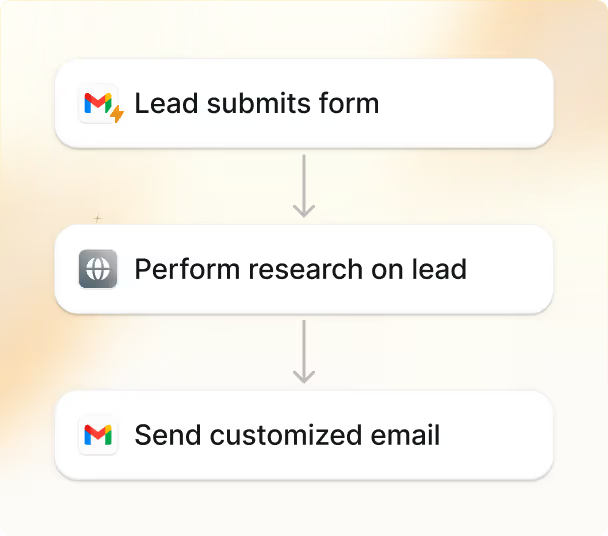
- By partnering with Pipedream, the platform integrates with over 2,500 third-party platforms to transfer data between the applications you use daily. For instance, you can sync your website with CRM software and update when new leads fill out a contact form, or you can send payment data from Stripe to your Airtable database to organize your accounts receivable.
Best for
Lindy is great for businesses looking for all-around digital assistance in websites, digital voice assistants for phone operations, and automation of daily tasks like replying to emails, taking and summarizing meeting notes, and more.
2. Google Assistant: For individuals
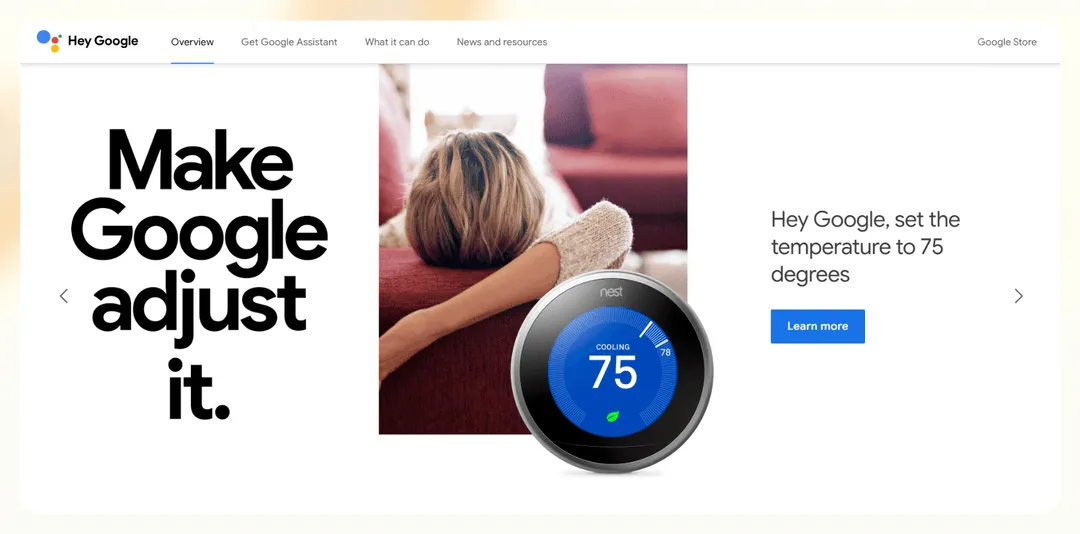
Google Assistant is an AI-powered voice assistant designed to simplify everyday tasks. It integrates seamlessly with Android devices, smart home systems, and any other tool on the Google ecosystem, like Gmail and Calendar.
Features
- Google Assistant is a popular choice for smart home control, connecting with compatible devices such as lights, thermostats, and security cameras. With simple commands, you can turn on lights or lock doors with simple voice commands.
- With support for over 100 languages, Google Assistant’s Interpreter Mode enables real-time spoken and written translations.
Best for
Google Assistant is for individuals seeking a free and reliable voice assistant for everyday tasks.
3. Oracle Digital Assistant: For enterprises
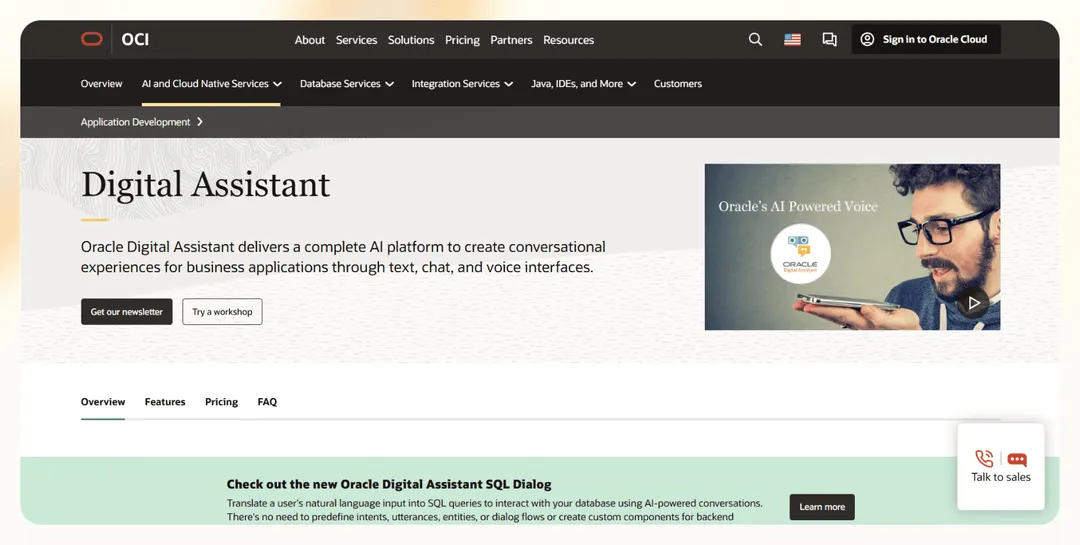
Oracle Digital Assistant (ODA) is an AI-powered platform that allows businesses to create and deploy conversational interfaces. It enables scalable chatbot solutions and streamlines workflows across various apps.
Features
- ODA integrates seamlessly with Oracle Cloud applications like ERP, HCM, and CX, as well as third-party systems, which are popular systems used by many enterprises.
- The platform also connects with various external communication platforms such as Microsoft Teams, Slack, SMS, and web applications. You can start a conversation on one channel and continue it on another without losing context.
Best for
Oracle Digital Assistant is best suited for medium to large enterprises that rely on Oracle Cloud applications or need robust chatbot solutions integrated into their workflows. It’s particularly valuable for customer service teams aiming to automate routine inquiries or IT departments looking to streamline internal processes.
#4 Siri: The OG for iOS

Launched by Apple in 2011, Siri lets you interact with your phone, apps, and the web through voice commands, simplifying digital tasks. Its integration across Apple devices makes it a no-brainer for iOS users.
Features
- Siri’s your go-to for hands-free tasks: It can send messages, place calls, answer questions, and provide recommendations by accessing various iOS apps and the internet.
- Siri learns from your behaviors and patterns to offer more personalized suggestions and quicker responses. It can even recognize individual voices with Voice ID and tailor its interactions accordingly.
Best for
If you’re an Apple enthusiast, and you're not using Siri, what are you doing? Siri provides a consistent and reliable assistant experience on iPhones, iPads, Apple Watches, and Macs. Its ability to understand context and provide relevant information and actions makes it particularly useful for those who rely heavily on their devices for both personal and professional tasks.
#5 Alexa: The all-around assistant

Introduced in 2014, Alexa, Amazon's voice-controlled assistant, features vast capabilities across various platforms, from Echo smart speakers to third-party IoT devices. It has become popular in the smart home market, offering you the ability to control devices through voice commands.
Features
- The platform contains a market of “skills” built by developers. These skills allow users to perform everything from ordering pizza to booking a ride to providing the latest news updates.
- Alexa can manage smart home devices. It allows you to control lights, locks, thermostats, and more through simple voice commands, making it incredibly convenient for daily home automation.
Best for
Alexa is particularly suitable for those who frequently shop with Amazon and appreciate having an assistant that can manage purchases and track orders. Its wide range of skills makes it highly customizable, catering to diverse needs and preferences, from entertainment to productivity.
Frequently asked questions
Are digital assistants the same as chatbots?
No, digital assistants and chatbots are different. Digital assistants are more advanced AI systems and can perform a wide range of tasks and engage in human-like conversations using natural language processing and machine learning. Some can execute workflows like scheduling, recording meeting notes, or drafting emails.
Chatbots, however, typically handle narrower, more straightforward tasks like answering FAQs, booking appointments, or collecting basic user info. They often rely on predefined responses or knowledge bases and are mainly used in customer support.
Can digital assistants work without the internet?
Digital assistants generally require an internet connection to function. This is because they rely on cloud-based processing to understand natural language, access databases, and learn from user interactions.
Yet, some functionalities, like setting alarms or accessing locally stored content, might be available offline. Still, internet access is necessary for full capabilities, including fetching information or integrating with other services.
What is the best digital assistant in 2025?
Alexa is a top digital assistant for personal use with its easy-to-use functionality and helpful integrations. We also consider Lindy one of the best digital assistants for business applications. It excels due to its flexibility, extensive integration capabilities, and ability to automate complex tasks.
{{cta}}
Lindy: Your new digital assistant
Ready to modernize your business with a digital assistant? Meet Lindy.
We built Lindy to let create digital assistants (or Lindies) with AI functionality for various tasks from email management to meeting scheduling to helping with your sales funnel.
Here's how it will help transform your business:
- Website integration made easy: Build your own customer support AI chatbot, embed it on your website using a simple code snippet, and better serve your website visitors by answering their queries — without increasing headcount.
- An automation champ: Lindy can reliably and easily take things like customer service, competitor analysis, sales outreach, lead generation, and even outbound calling off your hands — thanks to its natural language capabilities and ever-growing template library.
- Affordability: Build your first few automations with Lindy’s free version and get up to 400 tasks. With the Pro plan, you can automate up to 5,000 tasks, which offers much more value than Lindy’s competitors — and if you need more automations, get up to 1,000 extra for an additional $10.
Want to go beyond a basic digital assistant and start automating your workflows in just a few minutes? Try Lindy for free today.



.png)
.png)
.png)
.png)
.png)
.png)


