






IFTTT, Zapier, and Lindy are all no-code platforms for automations. IFTTT is for executing simple personal automations Zapier is great for simple automations too and has extensive integrations. While Lindy can build AI automations with an intuitive interface, making it ideal for simple and complex automations.
Read on to learn more about:
- Overview of IFTTT, Zapier, and Lindy
- Review of each platform, key features, ideal users, and pricing
- Some FAQs
- Why you should pick Lindy.ai as a Zapier and IFTTT alternative
IFTTT vs Zapier vs Lindy: TL;DR
IFTTT: For personal use
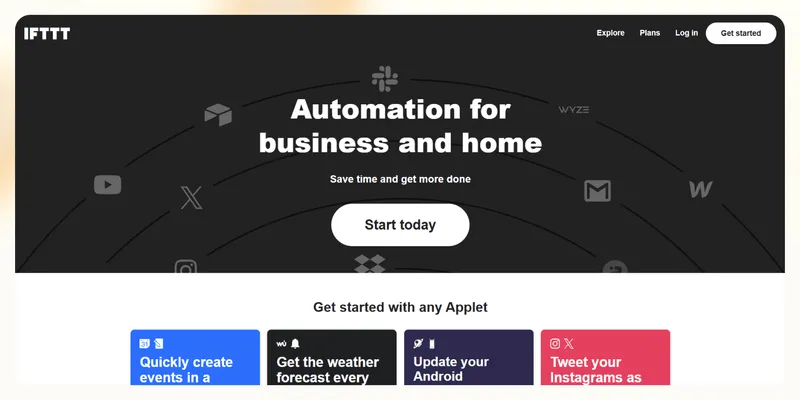
IFTTT (If This Then That) is a user-friendly automation platform that connects apps, devices, and services through Applets, which are simple conditional statements. These allow you to automate tasks such as saving social media posts, managing smart home devices, and streamlining workflows.
Key features
- The platform supports over 1,000 integrations, making it good for personal and business use.
- IFTTT’s Applets can use advanced logic and multi-step conditions. For example, you can set up an Applet to post Instagram photos to Dropbox while simultaneously notifying your team on Slack.
- What IFTTT is excellent at is smart home automation. It supports various devices like lights, thermostats, and security systems. For instance, create Applets to adjust your home thermostat or turn on lights at sunset based on weather conditions.
Best for
IFTTT is best suited for individuals and small businesses seeking simple, cost-effective automations. Its affordability makes it ideal for personal use by integrating smart home devices or streamlining basic workflows such as social media management or email notifications.
While it lacks the complexity needed for large-scale enterprise operations, its ease of use and extensive app compatibility make it a popular choice for beginners and casual users.
Pricing
The free plan lets you create up to 2 Applets. IFTTT pricing starts at $2.99/month, letting you set up 20 multi-step Applets. The $9.99/month version provides unlimited Applets, and allows for simple AI features for generating social media posts from blogs, email editing, and more.
Zapier: The first mover in third-party integrations
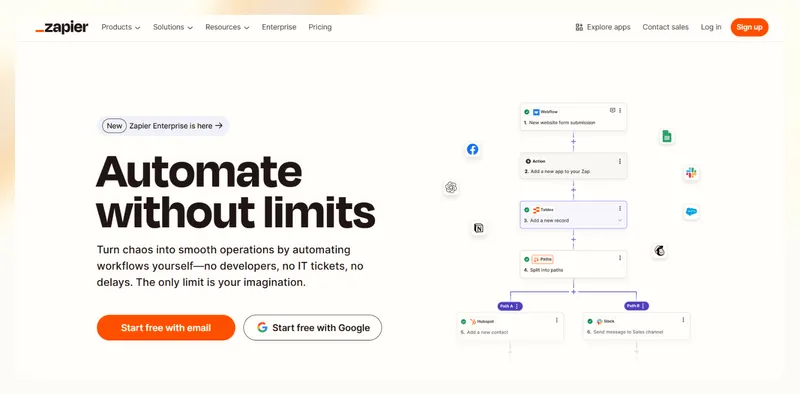
Zapier was one of the first movers in automation and app integration. It can connect thousands of third-party applications through “zaps,” which trigger actions between platforms. Zapier offers a simple, no-code interface that allows nearly anyone to connect software programs, saving time and eliminating manual processes.
Key features
- You can build your workflows using Zapier’s intuitive chatbot-style building interface. Although this differs from other no-code drag-and-drop workflow builders, Zapier’s interface walks you through the building process, making it easier to understand.
- With over 7,000 native integrations, you can most likely transfer data between any app you currently use. For instance, send your accounting team a Slack notification whenever a customer makes a payment via Stripe, Square, or PayPal.
- Zapier also provides an AI-agent building feature for creating automated assistants, such as chatbots, to answer customer queries on your website.
Best for
No matter how large or small your business, Zapier has a pricing plan for you — its extensive number of integrations make it an attractive option for many.
Pricing
After the free plan, which lets you automate up to 100 tasks, the $19.99/month lets you build up to 750 workflows that can contain several conditional tasks. Teams of up to 25 should try the $69/month, which allows for up to 2,000 automated tasks.
Lindy: For AI automations
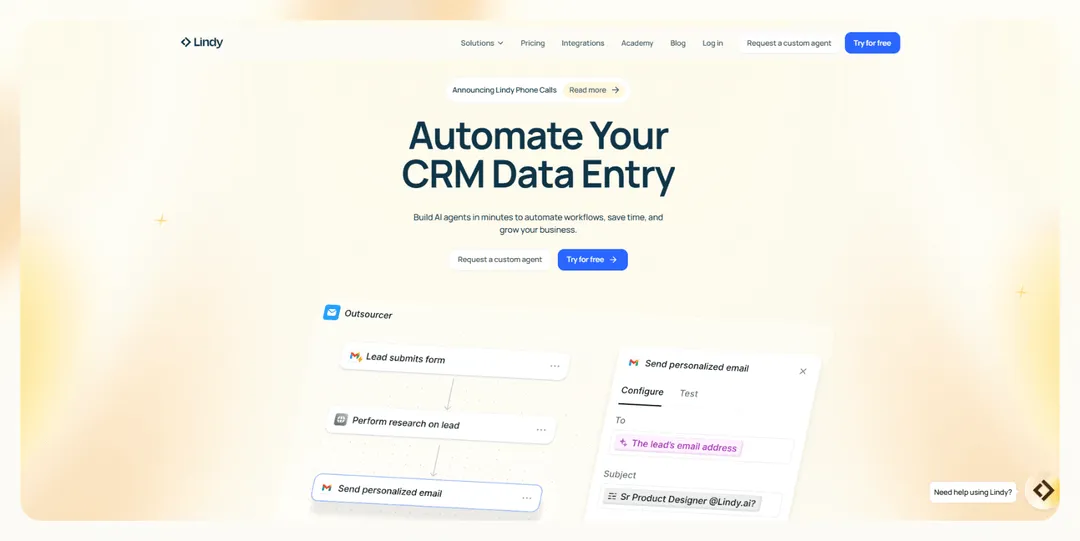
Lindy is an AI-powered automation platform designed to create custom AI agents. These agents can manage and execute various workflows, including responding to emails, scheduling appointments, handling customer support queries, updating databases, and conducting research.
Key features
- Like Zapier, Lindy lets you create your automations using a no-code drag-and-drop interface. However, Lindy’s building interface is in a visual workflow format, which allows you to map out your automations like a flowchart.
- Your AI agents, or “Lindies,” can execute a myriad of tasks, all you need to do is instruct them in plain English. For instance, if you’re gathering leads, tell your Lindies to use specific web search criteria, and they’ll bring it back to you in an organized sheet.
- By partnering with Apify and Pipedream, Lindy integrates with over 6,000 apps and web scrapers. For instance, connect your Lindies to commonly used tools like HubSpot, Slack, and Google Calendars, and you’ll be able to send new lead info to your sales team via Slack while automatically scheduling meetings on Google Calendar.
- The platform offers enterprise-grade security and compliance. SOC 2 and HIPAA compliance make Lindy a contender for healthcare, financial, and other automations that transfer sensitive client or patient data.
Best for
Lindy is an excellent option for businesses of all sizes and individuals needing affordable automations related to email, meetings, sales, and customer support. These include customer service reps who can benefit from a chatbot, recruiters reviewing application data for setting up interviews, and others.
Pricing
After Lindy’s free plan, which offers up to 400 free automations, pricing starts at $49.99/month, which provides up to 5,000 monthly automations.
How to select the right platform
Now that you’re aware of the differences between these 3 automation platforms as well as their main features, let’s take a look at how you can determine which one fits your needs the best:
Pick IFTTT if:
- You need a platform for personal use: IFTTT offers an intuitive interface that executes personal day-to-day tasks well. It lets you automate reminders for appointments, sync calendars so you’ll remember your Aunt Betty’s birthday, or streamline social media posts so you’re not fumbling between apps.
- You have limited apps to connect: If you aren’t constantly using new platforms and only need the essentials, like social media, email, and cloud storage, IFTTT covers your bases. By offering premade Applets, IFTTT focuses on simplicity and practical automation solutions. For example, you can set up Applets to save Instagram photos to Dropbox or receive weather alerts via email — all without diving into advanced configurations.
- You want to trigger automations between IoT devices: IFTTT supports a wide range of IoT products like smart lights, thermostats, security cameras, and plugs from brands like Philips Hue and Nest. Additionally, the platform’s flexibility allows you to mix and match devices from different manufacturers without compatibility concerns.
Pick Zapier if:
- You deal with several third-party applications: Zapier supports over 7,000 applications, including popular tools like Slack, Google Sheets, Salesforce, and Mailchimp. This ensures seamless connectivity across your tech stack, enabling you to link niche and mainstream apps effortlessly.
- Automations between apps and data transfer are most important: Zapier enables tasks like updating CRM records, syncing spreadsheets, or sending notifications. For more complex needs, it offers multi-step workflows with conditional logic (Paths) and advanced data formatting tools (Formatter). Its "Transfer by Zapier" feature also allows you to move large datasets between apps on demand, making it ideal for backfilling data or managing bulk updates.
- You need to deploy quickly: Zapier is built for speed and simplicity, allowing you to set up automations without coding. Its intuitive drag-and-drop interface and extensive library of pre-built templates let you make workflows quickly.
Pick Lindy if:
- You want AI agents: Lindy lets you use advanced AI to execute workflows with automations powered by large language models (LLMs) like ChatGPT-4o or Gemini Flash 2.0. More capable LLMs can handle complex tasks with greater accuracy. For instance, an email drafted by ChatGPT-4o is likely to be higher quality than one written by many Gemini models.
- You want to converge all tasks and integrations in one place: Lindy is perfect for managing operational tasks such as handling customer inquiries, recording meetings, and automating sales funnel workflows. Its scalability makes it suitable for teams of all sizes, with plans supporting anywhere from 400 to over 30,000 automated tasks per month.
- You need enterprise-grade security: Lindy provides a secure and dependable solution that is HIPAA-compliant, making it ideal for managing sensitive patient information and medical data. Its robust security features, including AES-256 encryption for data both at rest and in transit, ensure compliance with privacy regulations while safeguarding against unauthorized access.
{{templates}}
Frequently Asked Questions:
What are the main differences between IFTTT and Zapier?
IFTTT is more straightforward and user-friendly, designed primarily for personal use or basic business tasks. However, Zapier targets more technical need, like businesses that aim to automate needing complex workflows. It excels in handling multi-step automations with conditional logic, making it suitable for intricate business processes.
Lindy, however, is an excellent Zapier and IFTTT alternative. It provides enough flexibility and integration capabilities to execute day-to-day tasks like email response and social media creation, while also supporting business needs like data extraction from invoices and other documents.
How do the pricing plans compare for extensive automation needs?
Zapier allows up to 5,000 automations for a total of $89/month. However, if you’re looking for bulk automations, Lindy comes in at $49.99/month for up to 5,000. You can add 1,000 credits for $10 — the number of automations your credits provide depends on usage and workflow time.
IFTTT’s upper-tier pricing model is only $9.99/month, but you only get 1,000 limited integrations, so extensive automation isn’t possible.
Which platform provides the most user-friendly experience for beginners?
IFTTT is great for first-time users looking for personal automations, but is limited for business use. Zapier, on the other hand, is ideal for beginners and businesses with an enormous portfolio of integrations — however, setting up advanced functionalities may present a learning curve.
Lindy combines an AI-first approach, which lets you create AI agents for automating workflows like email response, customer service tasks, and more. It’s not as user-friendly as Zapier, but you can make loads of affordable automations once you nail the platform down. And, if you need any help, you can always consult the Lindy Academy, which will walk you through difficulties.
Lindy: More than automation and data transfer
Are you ready to stop automating tasks with old-school tools? Lindy is your automation partner, executing processes for your team so you can work smarter and close more deals.
Here’s how Lindy can accomplish more:
- Always in your corner assistance: Even if you’re sleeping, Lindy’s still on the clock, providing 24/7 assistance by serving clients no matter the time zone.
- Abundant integrations: Lindy has partnered with Pipedream and Apify, which allows you to integrate with over 6,500 third-party platforms and web scrapers. You can also natively integrate with many popular business tools like Google Drive and Slack.
- A linguistic savant: Lindy understands over 30 languages, so it can reach out to leads or answer client queries globally.
- Affordable scalability: Build your first few automations with Lindy’s free version and get up to 400 tasks. With the Pro plan, you can automate up to 5,000 tasks, which offers much more value and scalability than Lindy’s competitors.
Do more than just connect apps and try out Lindy for free.
{{cta}}



.png)
.png)
.png)
.png)
.png)
.png)


