






What is an AI coding tool?
An AI coding tool, also known as an AI code generator or AI coding assistant, is a software platform powered by artificial intelligence and machine learning that helps developers write code more efficiently.
It uses smart technology to guess what you’re trying to do and gives you suggestions as you work.
You can ask it to finish your code, find bugs, explain confusing stuff, or even build small projects for you.
Some tools are better at writing code while you type, some are good at checking your pull requests, and others can help you work with big, messy projects.
Best AI For Coding 2025: TL;DR
- Cursor: Best AI Coding Platform for building full-stack SaaS apps
- GitHub Copilot: Best AI code editor to help while you type
- Lindy: Best for quick answers to coding questions
- Tabnine: Best for private, team-friendly AI help
- Replit Ghostwriter: Best for coding with AI in your browser
- Amazon Q Developer: Best for coding and AWS help inside your editor
- Qodo: Best for improving code quality and testing
- Visual Studio IntelliCode: Best for faster coding inside Visual Studio
- Sourcegraph Cody: Best for understanding big projects
- Codiga: Best for real-time feedback and code snippets
- ChatGPT: Best AI coding assistant for beginners
- Snyk DeepCode AI: Best for finding and fixing problems automatically
- Hugging Face: Best for using and sharing AI models easily
- Code LMs (Open Source Models): Best for using free AI models for coding
- aiXcoder: Best for fast code suggestions and completions
- Claude AI: Best for getting easy coding help and explanations
- Plandex: Best for planning and coding big projects from your terminal
- CodeGeeX: Best for coding and translating between languages
- Sourcery: Best for getting instant AI code reviews
1. Cursor: Best AI Coding Platform for building full-stack SaaS apps
What does it do? Cursor is a code editor with built-in AI that helps you write, fix, and understand code quickly, even for big projects.
Who is it for? Great for developers who want smart coding help without switching between different tools.

Cursor is designed to speed up coding without requiring much setup.
It suggests full lines or blocks of code, not just single words, based on what you're building.
For example, while working on a Django app, it can complete entire views and model functions with minimal input.
One feature that stands out is the built-in Chat option.
Just highlight any confusing code, type a question like “What does this do?”, and Cursor breaks it down in simple, readable language.
It's a TIME-SAVER, especially when working with unfamiliar code.
Cursor is also surprisingly good at navigating large codebases.
\With the @codebase command, you can ask questions like “Where is the login function used?” and get results across all files, instantly.
This makes it especially useful when diving into older or inherited projects.

For those working on sensitive material, Cursor includes a Privacy Mode that disables cloud processing, keeping your code entirely local.
It’s a thoughtful addition for developers who need to maintain confidentiality.
Pros
- Cursor updates very often with new AI features
- You can connect it to your private code models if you want
- Lets you edit code by just describing what you want (like “make this faster”)
Cons
- Using chat and @codebase features can be time-consuming
- If you have a very slow laptop, Cursor can lag a bit with huge projects
Pricing
- Hobby Plan (Free): 2,000 AI completions per month, 50 slow premium model requests per month, no team features
- Pro Plan ($20/month): Unlimited AI completions, 500 fast premium model requests per month, Unlimited slow premium model requests
- Business Plan ($40/user/month): Privacy Mode, Admin dashboard, team billing, and Single sign-on (SSO)
2. GitHub Copilot: Best AI code editor to help while you type
What does it do? GitHub Copilot gives you code suggestions while you type in your editor.
Who is it for? Perfect for developers who want to save time and get coding help across different languages.
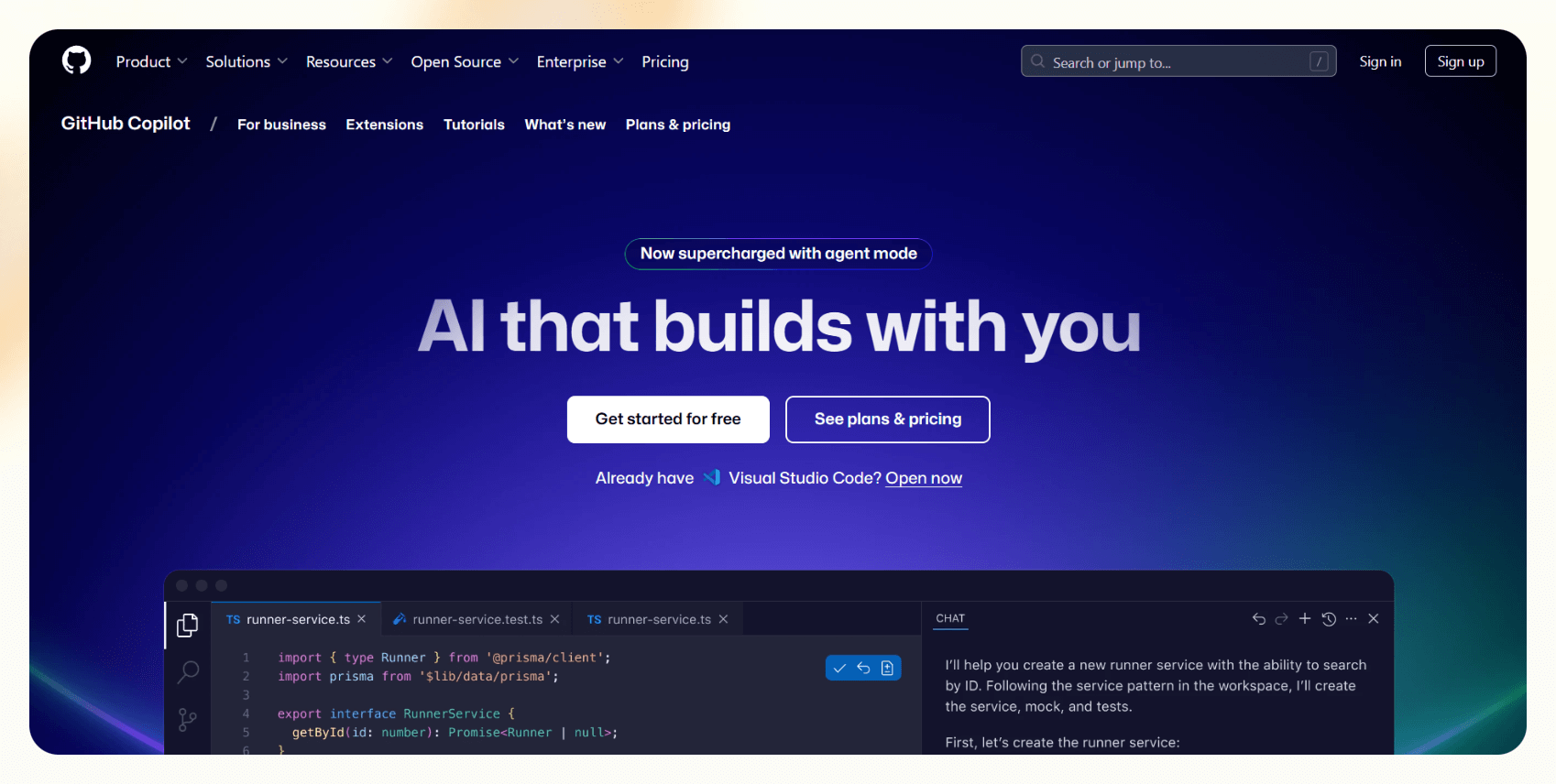
GitHub Copilot makes coding feel a lot smoother once it’s set up.
Just install it in Visual Studio Code, and it immediately starts working in the background, suggesting full lines or even entire blocks of code as you type.
It’s especially handy when writing function names, since it can guess the entire function CORRECTLY.
I liked how Copilot works well across languages like Python, JavaScript, and even for backend development tasks.
One standout feature is the ability to switch between different AI models.
Developers can choose between GPT-4o for more detailed, smart completions or Claude 3.7 for quicker, simpler tasks.
Even switching between the two is fast and smooth, depending on what’s needed.

The “agent mode” is useful for more complex jobs like refactoring multiple files.
It doesn’t just generate code, but also helps map out the steps, making larger tasks more manageable and saving valuable time.
But GitHub has its flaws, too.
Some suggestions can miss the mark, so it’s still important to review the output.
But for anyone coding daily, Copilot can reduce fatigue, speed up the process, and offer meaningful assistance, making it one of the most powerful AI coding tools available today.
Pros
- Catch small mistakes early
- Pairing with GitHub Copilot Chat
- Works offline once the extension is installed
- Offers smart autocomplete inside comments and docstrings
Cons
- At times suggestions can be unreliable
- For super-advanced coding, you’ll still have to do a lot of it yourself
Pricing
- Free Plan ($0/month): Unlimited public and private repositories, 2,000 CI/CD minutes per month with GitHub Actions, 500MB of GitHub Packages storage
- Team Plan ($4/user/month): 3,000 CI/CD minutes per month, 2GB of GitHub Packages storage, Access to GitHub Codespaces, Draft pull requests
- Enterprise Plan ($21/user/month): 50,000 CI/CD minutes per month, 50GB of GitHub Packages storage, Enterprise Managed Users, SAML single sign-on (SSO).
3. Lindy: Best for getting quick, clear help with coding questions
What does it do? Lindy helps you ask coding questions, get code explained, find bugs, and learn programming concepts easily.
Who is it for? Perfect for developers, students, and anyone who wants to save time solving coding issues without spending hours searching online.
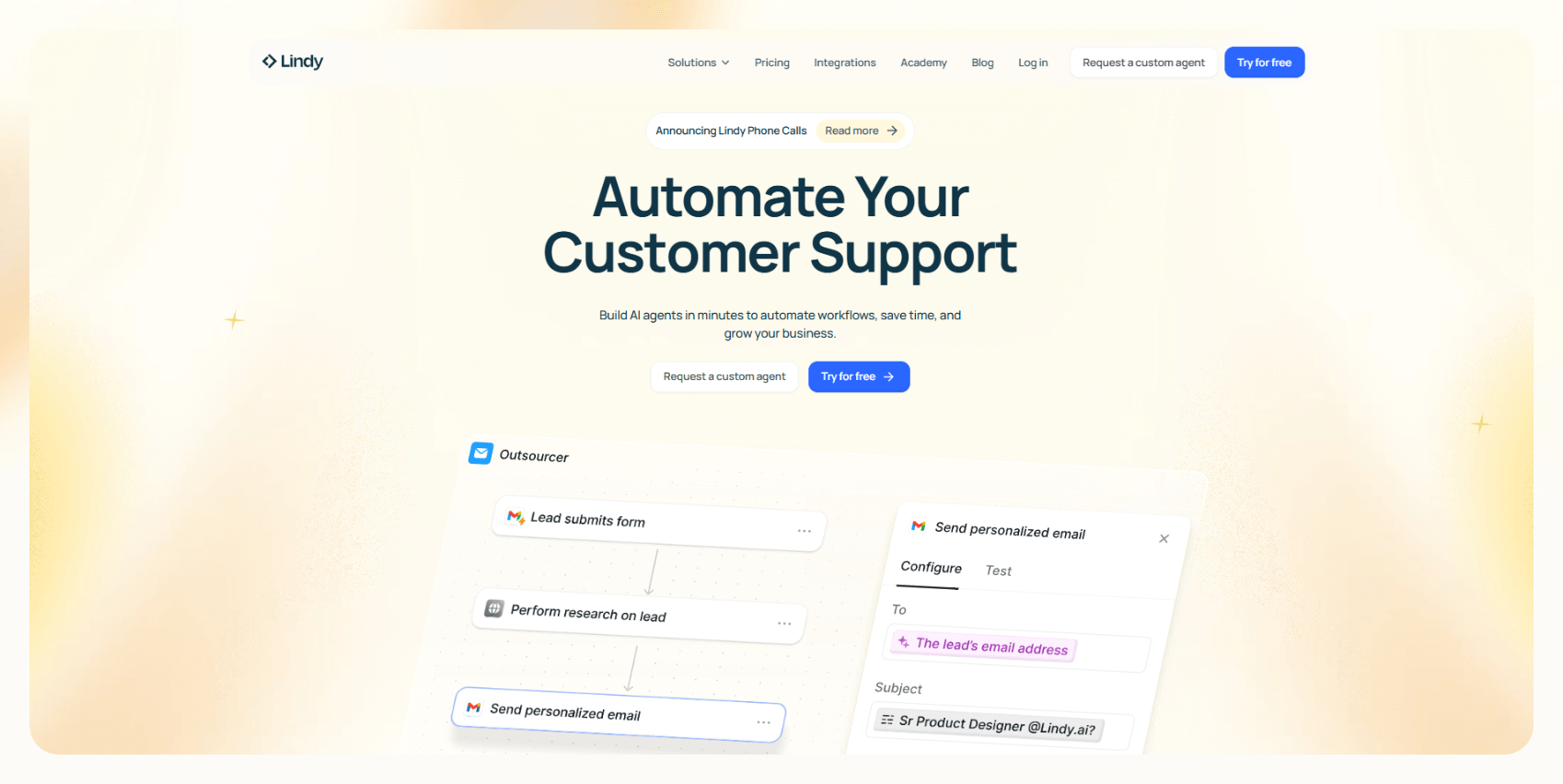
We've built Lindy to what a coding assistant can do.
Unlike traditional coding apps that just help you write code, our AI Coding Assistant takes a fundamentally different approach.
Built on GPT-4 technology, our AI Coding Assistant understands 50+ programming languages and integrates with your existing workflow.
Whether you're debugging complex code, generating documentation, or automating code reviews, we've got you covered 24/7.
What truly sets us apart is our ability to create custom "Lindies", your personalized AI agents that fit your specific needs.

Need to automate pull request summaries? Lindies will do that.
Struggling with overdue tasks in Notion? Lindies will track them and send Slack notifications.
Want an agent that crafts workout plans around your coding schedule? We've built that too.
With a range of integrations available, you can connect your coding assistant to virtually any platform in your tech stack.
Lindy is one of the best AI tools for coding because it offers customizable workflows, agent swarms, extensive integrations, and more, all packed into an intuitive, no-code setup.
Pros
- Creates multiple Lindies for different tasks
- Lindy Academy to learn how to code with AI
- Ready-made templates and a drag-and-drop setup for custom workflows
- Credits can be shared across multiple Lindy assistants if you use more than one
Cons
- The free plan might not be enough if you ask lots of coding questions
Pricing
- Free plan: 400 tasks/month, 1M character knowledge base
- Pro ($49.99/month): 5,000 tasks/month, access to call features, 20M character knowledge base
- Business ($299.99/month): 30,000 tasks/month, premium phone call automation, priority support
{{templates}}
4. Tabnine: Best for private, team-friendly AI coding help
What does it do? Tabnine is an AI coding assistant that suggests code as you type, helps explain code, creates tests, and even lets you run AI privately on your servers.
Who is it for? Perfect for developers and companies who want fast AI-assisted coding help but care a lot about keeping their code safe and private.

Tabnine integrates EFFORTLESSLY into daily development workflows.
Once added to Visual Studio Code, it begins offering real-time code suggestions.
It connects well with other editors like JetBrains IDEs, Eclipse, and Vim, which is great for developers who switch tools.
Supporting over 80 programming languages, including Python, JavaScript, Java, C++, and Go, Tabnine goes beyond basic autocompletion.
During a test run, it even fixed minor bugs as I typed, and predicted what the project was about based on the current file.

One standout feature is Tabnine’s AI chat.
Developers can ask it things like “explain this code” or “write a test for this function,” and get quick, clear responses that help.
Privacy is a big plus here.
Unlike many AI tools that rely on cloud-based processing, Tabnine lets you run everything locally or on your servers. This makes it a solid option for teams handling sensitive or proprietary code.
Customizing Tabnine is a breeze, too.
If your team has specific coding standards or prefers certain libraries, Tabnine can be trained to follow those patterns, making collaboration smoother and more consistent.
For developers looking for powerful AI coding help without compromising privacy, Tabnine is an excellent choice.
Pros
- AI Assistant Playbooks for common coding tasks
- Supports both cloud and self-hosted deployments
- You can train private AI models on your company’s codebase
- Works without an internet connection for basic code completions
Cons
- Some of the better features (like AI chat) need a paid plan
- Setting up self-hosted servers needs technical skills and effort
Pricing
- Dev Plan ($9/month per user): AI chat integrated within your IDE, supporting every step of the Software Development Life Cycle (SDLC), Basic personalization through local IDE context awareness, Integration with Atlassian Jira Cloud, Access to Tabnine models exclusively trained on permissively licensed code.
- Enterprise Plan ($39/month per user (with a 1-year commitment): Advanced AI agents: test case agent, Jira implementation agent, code review agent, SaaS, self-hosted (VPC, on-premises, or air-gapped), Integration with Atlassian Jira Cloud and Data Center.
- Dev Preview (Free 14-day Trial): AI code completions for current line and multiple lines for full-function implementation, AI-powered chat using leading LLMs from Anthropic, OpenAI, and Tabnine, Foundational AI agents, Support for all major IDEs.
5. Replit Ghostwriter: Best for coding with AI directly in your browser
What does it do? Ghostwriter is Replit’s built-in AI that helps you write, fix, and understand code inside your browser.
Who is it for? Great for beginners, students, and even working developers who want quick help without setting up heavy tools.
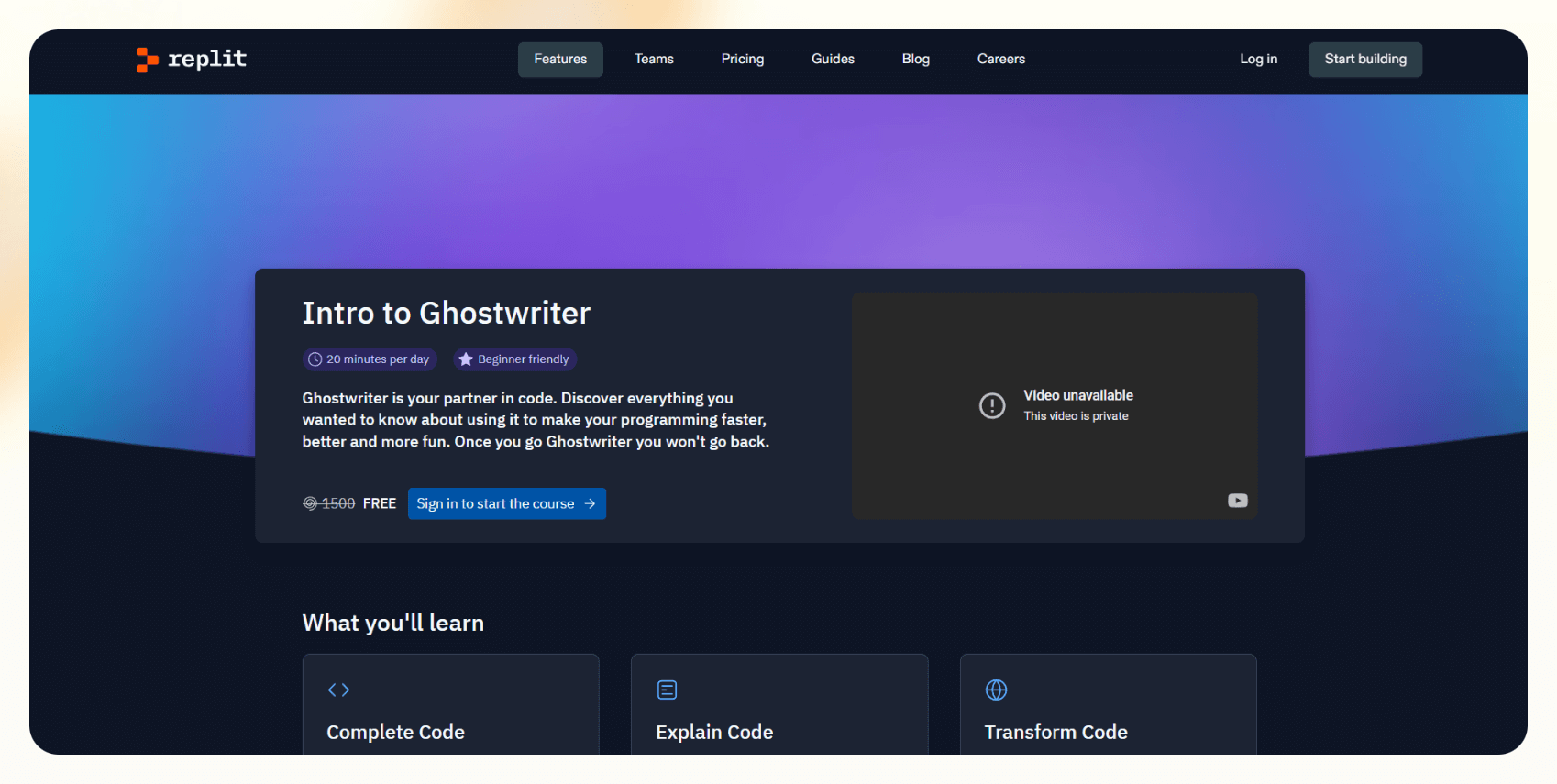
Replit Ghostwriter is one of the easiest ways to start coding with AI assistance, no installation required.
What stands out is how well Ghostwriter adapts to the project you're working on.
Whether it’s a simple login page in Python or a more complex app, the suggestions often feel context-aware and relevant.
Ghostwriter can even help explain tricky pieces of code using its Explain Code feature, just highlight a snippet, and it breaks it down in plain language.
The Transform Code option is also handy for MODERNIZING older syntax.
For Example, older JavaScript can be instantly refactored into ES6 with just a click.
And with Generate Code, you can describe what you want (e.g., “create a basic to-do app”) and Ghostwriter drafts the starting code for you.

There's also a built-in AI chat that helps answer coding questions, whether it's connecting a React app to Firebase or debugging an error.
Collaboration is another strong point: share a project link, and multiple users can edit the same file in real time.
Ideal for beginners and casual coders, Replit Ghostwriter makes AI-powered development feel accessible and fun.
Pros
- Works well on any device
- You can deploy full websites and apps straight from Replit
- Helps you learn new languages faster with built-in code explanations
- You can run, debug, and even host APIs inside the same workspace
Cons
- Free users get very limited Ghostwriter access
- Not as powerful for huge, enterprise-level projects compared to desktop IDEs
Pricing
- Starter Plan (Free): Access to 3 development apps with temporary links, Public apps only, Limited access to Replit Agent, Basic AI chat assistant, 1 vCPU and 2 GiB RAM, 1 GiB outbound data transfer, 2 GiB account storage.
- Replit Core ($20/month): Full access to Replit Agent, $25 of monthly credits (~100 Agent checkpoints), Unlimited public and private apps, Access to Claude Sonnet 3.7 & OpenAI GPT-4o, 4 vCPUs and 8 GiB RAM, 100 GiB outbound data transfer, 50 GiB account storage.
- Teams ($35/user/month): $40 of monthly credits per user, Centralized billing, 8 vCPUs and 16 GiB RAM, 1,000 GiB outbound data transfer, 250 GiB account storage.
6. Amazon Q Developer: Best for AI coding help and managing AWS tasks inside your ID
What does it do? Amazon Q Developer is an AI assistant that helps you write, debug, and explain code, while also managing AWS tasks like setting up services, fixing bugs, and addressing security issues.
Who is it for? Perfect for developers and cloud engineers who want to code faster and handle AWS stuff without leaving their editor.
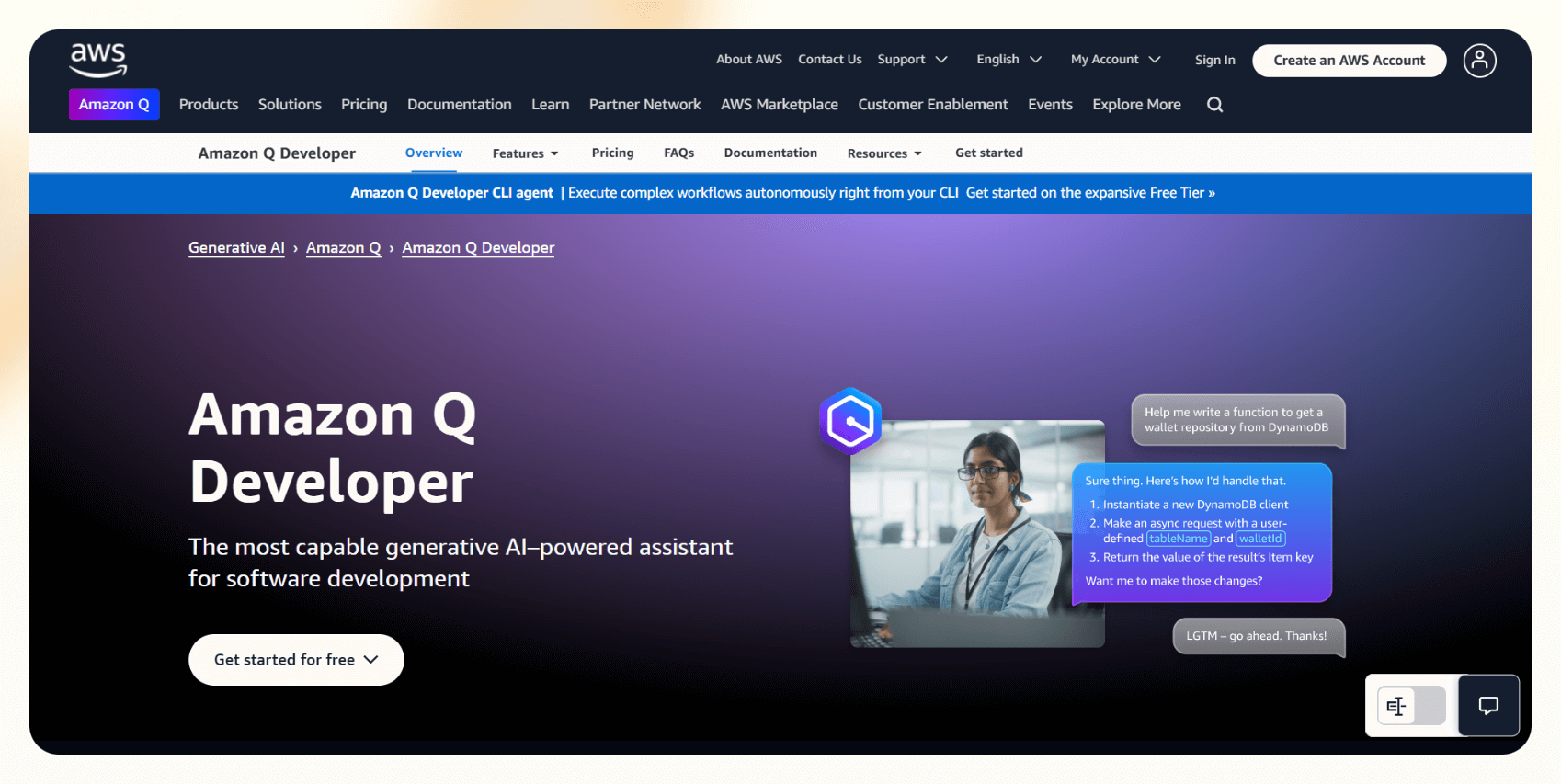
Amazon Q Developer is built to work directly inside Visual Studio Code and integrates with your AWS account.
Whether you're working in Python, Java, or JavaScript, it can complete functions, suggest fixes, and even explain selected blocks of code in plain language.
What really sets Amazon Q apart is how deeply it understands AWS workflows.
Instead of constantly switching tabs to search documentation, developers can ask Q directly, right inside the IDE.
Tasks like setting up an S3 bucket or configuring IAM permissions become much easier, thanks to step-by-step guidance and AWS CLI command suggestions.
The built-in security scanner is another USEFUL addition.
It automatically scans your code for vulnerabilities like exposed credentials or missing encryption and suggests relevant fixes.
This can be especially helpful during deployment or when working with sensitive configurations.

Another thing I liked was the code transformation tool.
You can use it on older Node.js Lambda functions to modernize them with clear explanations for each update. It is great for keeping codebases current without confusion.
Its developer chat function is also handy for asking anything from AWS service questions to general cloud setup or coding advice.
Full working examples are often provided, which can save time and guesswork.
Pros
- Shows step-by-step workflows to automate cloud tasks
- Real-time help with AWS billing and service limits questions
- Security recommendations are based on AWS's Well-Architected best practices
- Supports serverless frameworks like SAM and Amplify for faster cloud app development
Cons
- Not ideal if you’re only coding locally
- Some deeper AWS tasks still need manual verification
Pricing
- Free Tier ($0/month): 50 chats per month, 5 code generations per month, 1,000 lines of code transformations per month
- Pro Tier ($19/user/month): Unlimited chats, code generation, and code transformations, Full AWS task automation help, Priority support, Access to full security scans and recommendations
7. Qodo: Best for AI-powered code quality and testing
What does it do? Qodo is an AI tool that helps you write, test, and review code.
Who is it for? Ideal for developers and teams who want to improve code quality and automate testing without adding extra work.
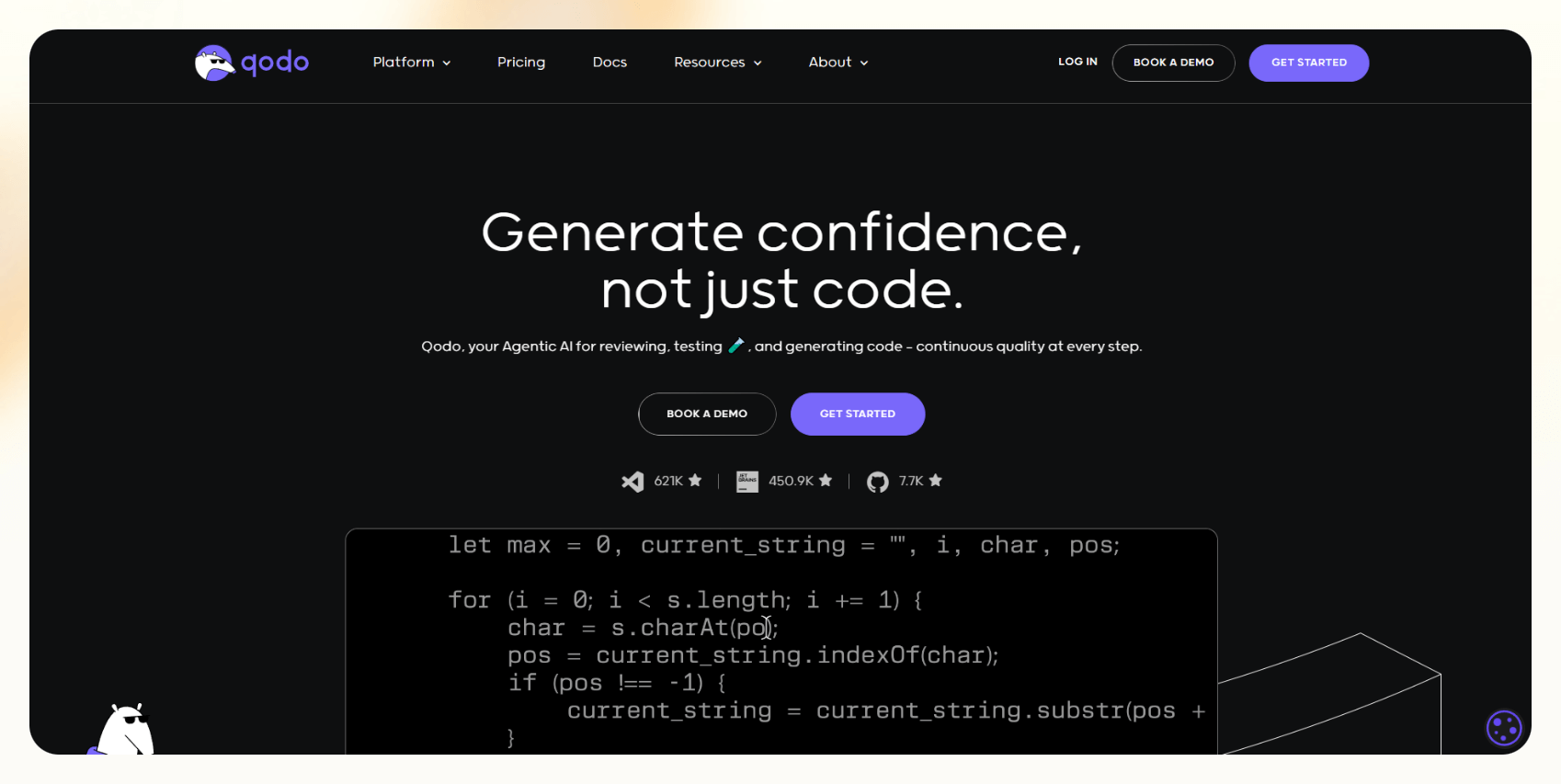
Qodo is a versatile AI coding assistant that supports a variety of programming languages, including Python, JavaScript, TypeScript, Java, PHP, Go, Kotlin, C++, and C#.
This wide range makes it easy to integrate across different projects and tech stacks.
One of its standout features is test generation.
Qodo analyzes your code and automatically creates meaningful tests that cover a wide range of scenarios.
This not only saves time but also ensures stronger test coverage without manual effort.
It also shines during code reviews.
When reviewing pull requests, Qodo provides CLEAR, actionable feedback.
It flags potential issues and suggests improvements in real time.

Another key benefit is its strong focus on code quality.
Qodo continuously scans for bugs, logic issues, or inconsistencies and recommends fixes before they escalate into bigger problems.
This proactive layer of analysis helps developers write cleaner, more reliable code from the start.
Whether you’re working solo or collaborating in a team, Qodo acts like a helpful second set of eyes, always aiming to boost your code’s performance and stability.
Pros
- Offers a free plan for individual developers
- Supports multiple IDEs, including VS Code and JetBrains
- Generates comprehensive tests to improve code coverage
Cons
- Initial setup and learning curve for new users
- May not integrate seamlessly with all development environments
Pricing
- Developer Plan (Free): Access to Qodo Merge and Qodo Gen with limited functionality, 250 messages or tool uses per month, Community support via Discord and GitHub, and Multi-tenant SaaS deployment.
- Teams Plan ($15/user/month): 5,000 messages per user per month. Enhanced features in Qodo Merge and Qodo Gen, Standard private support, and Optional Single Sign-On (SSO) at an additional cost.
- Enterprise Plan ($45/user/month): Full access to Qodo Platform (Gen, Merge & Cover), Multi-repo codebase awareness, Enterprise SSO, Access to proprietary Qodo models and Deepseek-R1 (self-hosted).
8. Visual Studio IntelliCode: Best for smarter coding help inside Visual Studio
What does it do? IntelliCode is an AI tool built into Visual Studio that helps you write code faster by suggesting whole lines, making smart code fixes, and spotting patterns in your edits.
Who is it for? Great for developers who already use Visual Studio and want extra AI help to code faster and better.

To use IntelliCode, I didn’t have to install anything extra. It was already built into Visual Studio.
It starts offering full-line code suggestions as you type, helping speed up the coding process with context-aware predictions.
While the suggestions may not be the fastest, they’re impressively SMART.
IntelliCode analyzes your intent and often predicts entire method calls, especially when working in C#. This can cut down on repetitive typing and help maintain coding momentum.
One of the standout features is its ability to adapt to your coding style.
If certain patterns or functions are used frequently in your projects, IntelliCode learns from that and surfaces those suggestions higher in the list, making them easier to access when you need them.

Another helpful tool is the repeated edits feature.
When changes are made to a function or pattern in one part of the codebase, IntelliCode detects the repetition and offers to apply similar changes across other files.
This reduces the need to manually search and update every instance, saving time during refactors or bulk edits.
For anyone who already works inside the Visual Studio ecosystem, IntelliCode adds quiet but powerful improvements to the everyday coding experience.
Pros
- Catches common mistakes while you’re typing
- Shows full function signatures, not just small code pieces
- Works smoothly even on large projects without slowing down
- Gives helpful tips for adding missing constructors or parameters
Cons
- Only available inside Visual Studio
- Changing your coding style may briefly affect suggestions
Pricing
- Professional Subscription ($99.99 per user/month): Visual Studio 2022 Professional IDE, Azure DevOps (Basic plan), $50 Azure credit per month for development/testing, Access to basic development/testing software, Training, and support resources
- Enterprise Subscription ($499.92 per user/month): Visual Studio 2022 Enterprise IDE, Azure DevOps (Basic + Test plan), $150 Azure credit per month for development/testing, Access to premium development/testing software, Power BI Pro
9. Cody by Sourcegraph: Best for AI coding help that understands your whole project
What does it do? Cody is an AI tool that helps you write, edit, and understand code faster.
Who is it for? Great for developers and teams who work on big projects and want AI help without losing control over their code.

While working, Cody could see my whole project, understand how different files connect, and suggest full functions that made sense.
This can be especially useful when updating older applications or working with large, unfamiliar codebases.
One of its most-used features is the AI chat.
Using it you don’t need to dig through files or scour Stack Overflow for solutions.
Developers can ask questions like “Where is this function used?” or “Can you fix this error?”, and Cody responds with clear, actionable answers, often backed by code examples.
Cody also shines when it comes to writing tests.
Instead of manually drafting unit tests, you can ask Cody to generate them for you and make minor adjustments if needed.
It significantly reduces the time spent on boilerplate test writing.
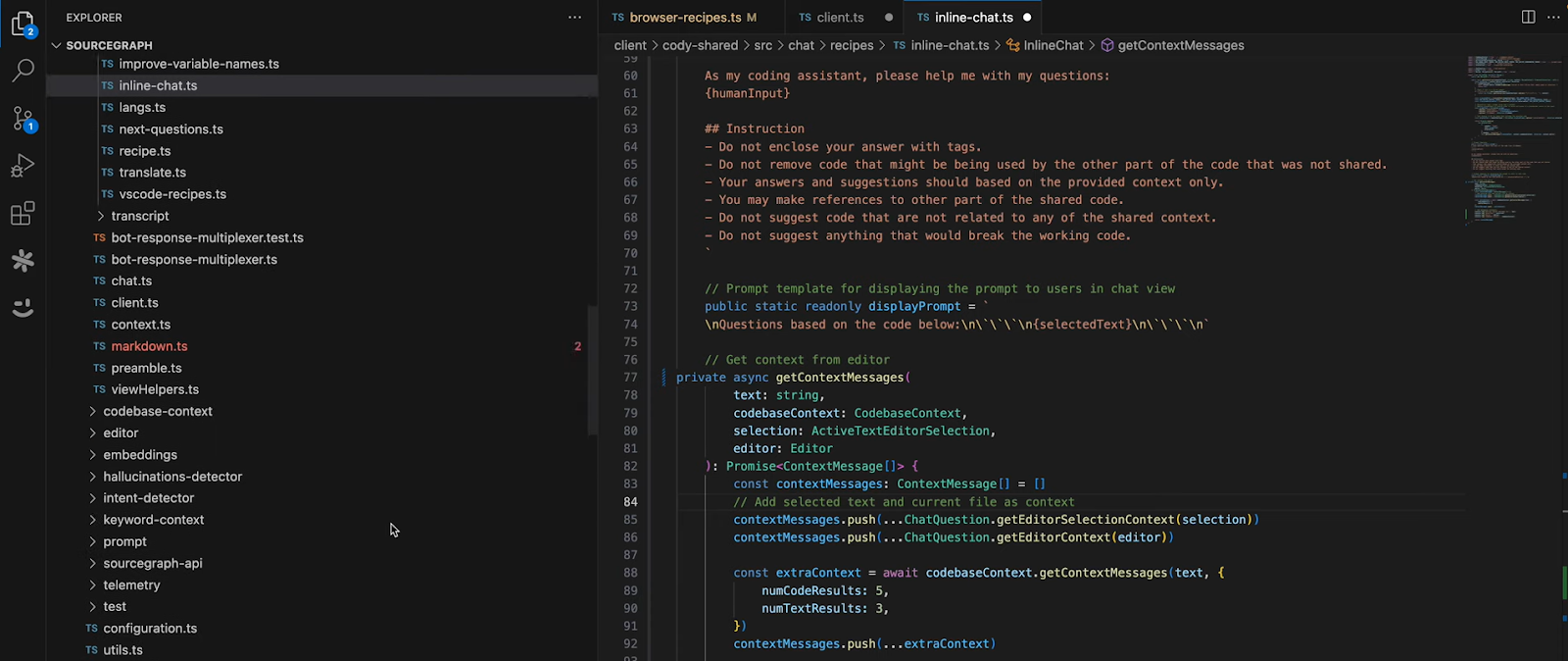
Another advantage is Cody’s flexibility with AI models.
It supports multiple backends, including Claude and GPT-4. You get to choose the one that suits your specific task or coding style.
For developers working on complex projects or legacy systems, Cody offers a helpful mix of project awareness, context-sensitive suggestions, and hands-on support.
Pros
- Works smoothly with big repositories
- You can customize Cody’s behavior with your instructions
- Integrates with project management tools like Notion and Linear
- You can upload full documentation, and Cody will use it to answer your questions
Cons
- Some deep project searches feel slow on very large codebases
- Best features need you to link your code repo (like GitHub or GitLab)
Pricing
- Free Plan ($0/month): Unlimited code completions, 200 chat messages per month, 5 context search queries per day
- Enterprise Starter( $19/user/month): Full access to Cody with private code indexing, Admin controls, Team management
- Enterprise ($59/user/month): Advanced security, compliance features, SSO (single sign-on), Priority support
10. Codiga: Best for getting real-time feedback and using smart code snippets
What does it do? Codiga checks your code as you type and shows if there are mistakes, bugs, or ways to make it better.
Who is it for? Perfect for developers and teams who want to write cleaner, faster, and more secure code without doing a lot of manual checking.
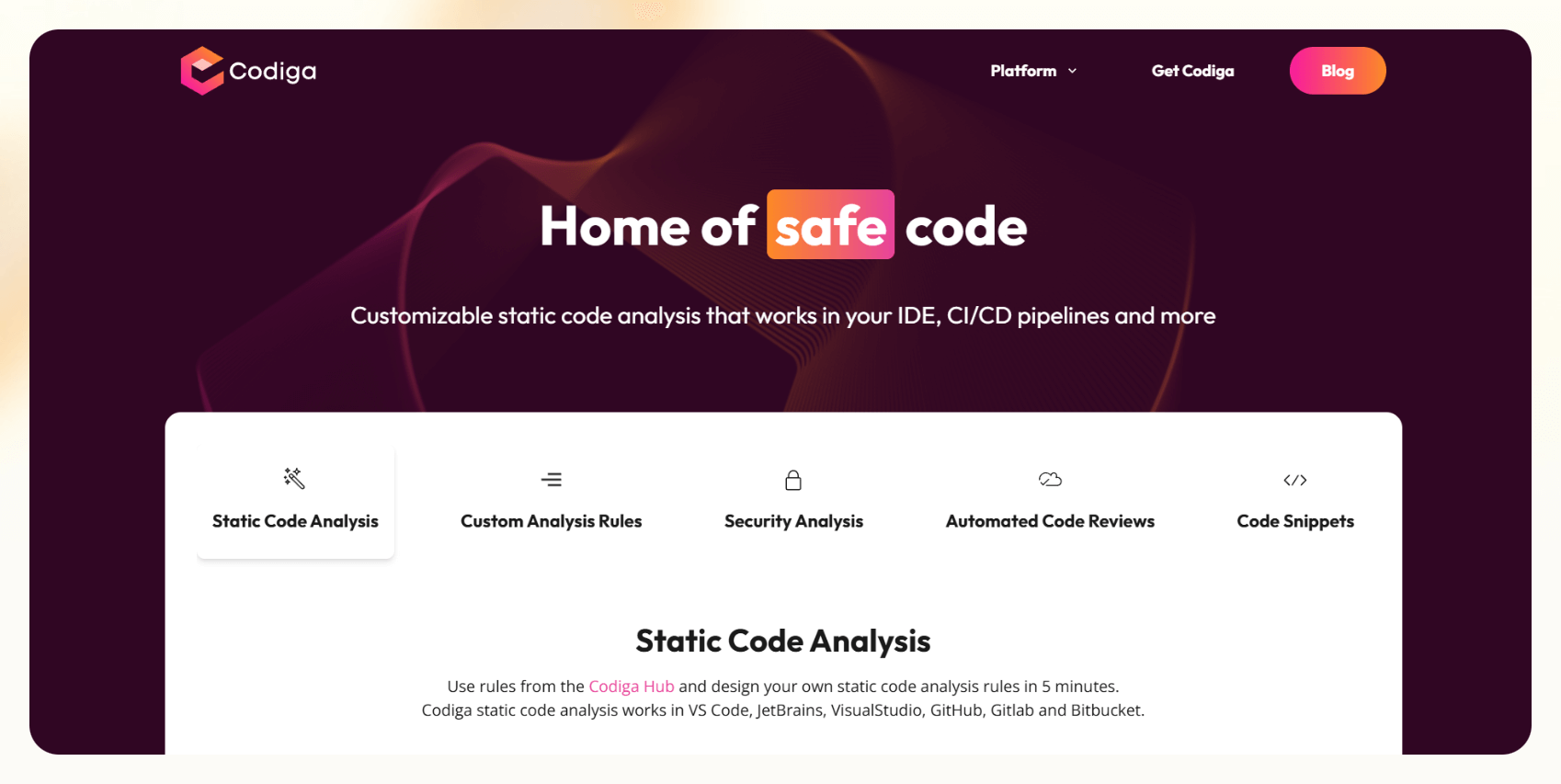
Codiga acts like a proactive code reviewer that works in real time.
As you write, it flags small mistakes, security risks, and messy formatting, before you even hit run.
Like, if an input field isn’t sanitized in a Python project, Codiga catches it instantly and suggests a fix.
One feature that stands out is its smart snippets.
Codiga offers a large library of reusable code blocks, like login forms, API calls, or loops, that can be inserted with just a few clicks.
Developers can also create and save their own snippets for future use, which speeds up repetitive tasks and reduces typing.

I love how Code reviews are so SIMPLIFIED.
When a pull request is created, Codiga automatically analyzes the changes and suggests improvements, cutting down the back-and-forth that typically happens during team reviews.
Customization is another strong point.
You can define coding rules, such as requiring docstrings for every function or enforcing naming conventions, and Codiga will flag any violations during development.
For developers focused on clean, secure, and consistent code, Codiga provides an extra layer of assurance throughout the entire workflow.
Pros
- Offers a special program with discounts for startups
- Tracks code quality over time with a simple dashboard
- Works inside different editors like VS Code, JetBrains, and Visual Studio
- A community library where you can use and share code snippets with others
Cons
- The free plan has daily limits for how much code it can check
- Some setup is needed if you want custom rules for your project
Pricing
- Basic Plan (Free): Real-time code analysis for public repos, Access to smart code snippets, Community support
- Silver Plan ($10/month): All features from the Basic Plan, Increased analysis quota: 100+ analyses per day.
- Team Plan ($14 per user/month): Private repo support, Dedicated analysis pipelines, and Premium support
- Gold Plan ($18/month): Unlimited code analyses per day.
- Startup Program: 20% discount for startups (for 12 months)
11. ChatGPT: Best AI coding assistant for beginners
What does it do? ChatGPT helps you write, understand, debug, and improve code across different languages.
Who is it for? Perfect for beginners, developers, and teams who want quick, smart coding help without switching between different apps or websites.

To use ChatGPT, I didn’t have to set up anything complicated.
Just open the browser, log into ChatGPT, and start chatting.
Even if you get stuck while writing Python, JavaScript, or even C++, simply ask ChatGPT something like:
- “Can you fix this bug?”
- “How do I write a login API in Node.js?”
- “Explain this error: TypeError: Cannot read property ‘map’ of undefined.”
In such a case, ChatGPT not only clears your doubts but also explains what went wrong with your code.
If you want to go beyond copy-pasting solutions and understand how your programs work, then you can ask GPT the same, and it’ll walk you through every detail.

You can use it to generate full starter projects.
For example, asking it to build a basic to-do app with React and Firebase returns a working codebase in minutes, complete with setup instructions for Firebase and guidance on managing state in React.
Another PRACTICAL use is reviewing and cleaning up messy functions
Paste a messy function, and ChatGPT can clean it up, shorten it, and suggest modern practices like replacing callbacks with async/await.
It’s a quick way to refine your logic and boost readability.
You can also ask ChatGPT to write unit tests. Like, it can generate Jest test cases for a Node.js backend, giving you a solid starting point for test coverage.
And if you use ChatGPT Plus, you can switch to the latest GPT-4 model, which gives even smarter and longer coding suggestions.
Pros
- Great for learning new frameworks like React, Django, or Flask
- Can suggest project structures and folder setups for bigger apps
- Works with many languages like Python, JavaScript, Java, Go, and more
Cons
- Sometimes needs you to guide it if the code problem is very complex
- You can’t directly run or test code inside ChatGPT; you need your editor
Pricing
- Free Plan ($0/month): Access to GPT-3.5, Limited to basic coding help, Slower during peak hours
- ChatGPT Plus ($20/month): Access to GPT-4, Faster response times, Priority access to new features
- ChatGPT Team ($25/user/month): Same as Plus, but adds team collaboration, shared workspaces, and admin tools
12. Snyk DeepCode AI: Best for finding and fixing coding issues automatically
What does it do? DeepCode AI scans your code as you write and points out bugs, security problems, and bad practices.
Who is it for? Perfect for developers and teams who want clean, secure code without spending hours manually checking every file.

Snyk DeepCode integrates smoothly into your workflow.
Once connected to a GitHub project and added to Visual Studio Code, it begins scanning code automatically.
As you write, DeepCode highlights issues like security flaws, hidden bugs, and poor coding patterns, without slowing down even on large projects.
Clicking on any warning reveals a simple explanation of the problem along with suggested fixes.
In many cases, it offers a full replacement for the problematic code.
It’s particularly SHARP at catching unsafe API calls, deprecated functions, and missing error handling that could otherwise slip through.

During pull requests, DeepCode continues to offer value.
When changes are pushed to GitHub, it automatically reviews the updates and adds inline comments where problems exist. This makes the review process faster and more thorough.
Beyond just security, DeepCode also flags quality concerns, such as overly long functions or unnecessarily complex logic. The result isn’t just safer code, but cleaner, more maintainable codebases.
For developers looking to elevate both the security and clarity of their code, DeepCode adds a layer of intelligent, real-time feedback that’s hard to overlook.
Pros
- Works directly inside GitHub, GitLab, and VS Code
- Learns from real-world projects and updates with new rules
- Great for helping teams follow security and quality best practices
- Analyzes open-source libraries your project depends on (not just your code)
Cons
- The free plan is limited to private repos
- Some complex fixes still need a developer to review them manually
Pricing
- Free Plan ($0/month): Unlimited code analysis for open-source/public projects, Basic security scanning, Access to DeepCode AI insights
- Team Plan ($25 per month): Private repo scanning, more detailed security checks, Integrations with IDEs and CI/CD pipelines
13. Hugging Face: Best for building, sharing, and running AI models easily
What does it do? Hugging Face is a platform that lets you find, use, and share machine learning models.
Who is it for? Ideal for developers, researchers, and teams who want to work with AI models without setting up complex infrastructure.

Hugging Face is a go-to platform for experimenting with and deploying machine learning models.
Its Model Hub hosts over a million models across tasks like text generation, translation, image recognition, and more.
Many of these can be tested directly in the browser or integrated into projects with just a few lines of code.
A standout feature is Spaces, which lets users build and share interactive web apps using tools like Gradio and Streamlit.
It’s ESPECIALLY helpful for creating demos or prototypes without the hassle of setting up servers or infrastructure.

For production-ready deployments, Inference Endpoints offer dedicated hardware options, like CPU or GPU configurations, so models run reliably at scale.
This flexibility ensures consistent performance, whether you're handling light traffic or intensive workloads.
When it comes to model training, AutoTrain simplifies the process.
It allows developers to fine-tune models on their own datasets without requiring deep machine learning expertise.
Even the interface is straightforward.
Both beginners and advanced users looking to speed up experimentation will find it intuitive.
Pros
- Active community and extensive documentation
- Offers both free and paid options to suit different needs
- Easy-to-use interfaces for deploying and sharing models
- Supports multiple programming languages and frameworks
Cons
- Some advanced features require a paid subscription
- Managing costs can be challenging for large-scale deployments.
Pricing
- Free Plan: Access to public models, datasets, and basic features.
- Pro Plan ($9/month): Includes enhanced features like increased usage quotas and priority access to new tools.
- Enterprise Hub ($20/user/month): Single Sign-On (SSO) and SAML support, Audit logs for precise action reviews, Advanced compute options for Spaces, 5x more ZeroGPU quota for all organization members.
14. Code-LMs by VHellendoorn: Best for using open-source AI models trained on code
What does it do? Code-LMs is a project that offers AI models trained to understand and write code.
Who is it for? Perfect for developers, researchers, or students who want to try out AI coding models without paying for expensive commercial tools.

Code-LMs is an open-source initiative aimed at exploring how language models can assist with programming tasks.
The GitHub repository includes detailed instructions, and Docker support is available for those who prefer a cleaner, containerized setup.
One of the core models, PolyCoder, is specifically trained to generate C code, though other models are available for additional programming languages.
These models can be prompted to generate functions like “reverse a string” or solve basic algorithmic problems, returning usable code quickly.
A highlight of the project is that everything is fully open-source.
Models can be downloaded, fine-tuned on your own codebase, or used as components in custom applications.
Code-LMs also comes with built-in evaluation tools, which help benchmark model performance across various coding tasks, useful for identifying both strengths and limitations.
While it may not be intended for enterprise-scale use, Code-LMs offers a lightweight, flexible way to explore AI coding tools for small- to mid-sized projects, educational purposes, or early-stage prototypes.
Pros
- Models for free and even change them if you want
- Gives you access to models trained specifically for coding
- You can test the models easily with the example prompts they provide
Cons
- Requires a stable server, as newer models can be heavy
- Not as polished or “smart” as paid models like OpenAI Codex or GPT-4
15. aiXcoder: Best for AI-Powered Code Completion and Generation
What does it do? aiXcoder is an AI-powered coding assistant that helps developers write code faster and more efficiently.
Who is it for? Ideal for developers, from beginners to professionals, who want to enhance their coding productivity and reduce manual effort.

aiXcoder is a coding assistant that offers real intelligent code generation across multiple programming languages, including Python, Java, and JavaScript.
One standout feature is method-level code generation.
Developers can simply write a comment describing a function, for example, “// function to calculate factorial,” and aiXcoder generates a complete, working implementation.
This cuts down on boilerplate and repetitive typing during development.

aiXcoder also includes real-time error detection, flagging mistakes and offering potential fixes on the fly. This helps catch issues early, before they become bugs during testing
In addition to code generation, aiXcoder excels at intelligent code completion.
I like how context-aware suggestions helped me reduce the need to constantly look up syntax or consult documentation.
This may come in handy for keeping momentum during longer coding sessions.
aiXcoder is especially useful for developers looking to improve productivity while working across multiple languages or switching between projects frequently.
Pros
- Offers both local and cloud modes for flexibility and privacy
- Provides method-level code generation from natural language descriptions
- Integrates with popular IDEs like Visual Studio Code, IntelliJ IDEA, and Eclipse
Cons
- Advanced features are only available in the cloud mode
- Initial setup may require configuring the plugin within the IDE
Pricing
Free Plan: Access to basic features, including code completion and integration with IDEs.
16. Claude: Best for getting quick coding help and simple code explanations
What does it do? Claude is an AI assistant that helps you write code, fix bugs, and explain how code works.
Who is it for? Great for developers, students, or anyone who wants fast, easy help with coding without wasting time searching online.

Claude by Anthropic is a conversational AI assistant designed to help developers debug, write, and understand code with ease.
Getting started is simple, just sign up at claude.ai and begin chatting.
Claude excels at breaking down complex code into simple explanations, making it easier to understand unfamiliar logic.
Whether you're troubleshooting a bug, writing a new function like checking for prime numbers in Python, or seeking clarity on error messages, Claude provides clear, step-by-step guidance.

It supports multiple programming languages, including Python, JavaScript, and Java, and offers real-time assistance for both small code snippets and larger projects.
Claude's ability to identify subtle issues like incorrect indentation or missing brackets helps developers catch errors early in the development process.
For those looking to integrate AI assistance directly into their development environment, Claude Code offers a terminal-based tool that understands your codebase.
Pros
- Good for both beginners and experienced developers
- Stable even with multiple-file or more complex projects
- Very fast replies, even when you ask complicated questions
- You can copy big pieces of code, and Claude explains them clearly
Cons
- Full file analysis features are only available in paid plans
- Sometimes needs a little guidance when coding very complex apps
Pricing
- Free Plan: Access to Claude via web, iOS, and Android, Basic usage limits, Ability to generate code, visualize data, write, edit, and create content, and analyze text and images.
- Pro Plan ($17 per month): Increased usage limits, Access to Projects for organizing chats and documents, Ability to use more Claude models, Extended thinking for complex tasks.
- Max Plan ($100 per month): 5x–20x more than Pro, Higher output limits for all tasks, Access to Research, and Early access to advanced Claude features.
17. Plandex: Best for using AI to handle complex coding directly from your terminal
What does it do? Plandex is a coding tool that helps you plan, write, and manage big software projects using AI.
Who is it for? Perfect for developers and engineers who work on large, complicated projects and want AI to make coding and project management faster and easier.

Plandex runs straight from the terminal, so there's no need to switch to a separate code editor.
Using the quick-start command from the Plandex GitHub page, setup takes just a few minutes.
A standout feature is sandbox mode.
Instead of directly changing your files, Plandex displays proposed changes separately.
This gives you full control to review and merge edits manually, keeping your codebase safe and version-aware.
It’s especially useful for large projects.
Plandex can process up to 2 million tokens at a time, which shows how well it UNDERSTANDS extensive codebases without losing track of dependencies or structure.

During tasks like refactoring older apps with hundreds of files, it keeps context intact across all modules.
You can also choose your preferred AI model.
Plandex supports options like GPT-4 Turbo from OpenAI, Claude 3 from Anthropic, and models from Google, letting you balance speed and depth depending on your needs.
Pros
- Fully open-source
- Keeps all your project versions clean with Git integration
- Lets you switch between different AI providers depending on your needs
Cons
- The first setup might take a little time if you’re self-hosting
- Speed and performance can vary based on the AI model you connect to
Pricing
- Self-Hosted (Free): Full features, no extra charges from Plandex itself
- Cloud ($45/month): $20 of included AI credits
- Cloud - BYO API Key Plan ($30/month): Host it on Plandex servers, and use your own API keys (OpenAI, Anthropic, etc)
18. CodeGeeX: Best for coding, explaining, and translating across different programming languages
What does it do? CodeGeeX is an AI coding assistant that helps you write code, explain code, and even translate code between different programming languages.
Who is it for? Perfect for developers, students, and teams who work with multiple languages and want smart, AI-powered help in their coding projects.

CodeGeeX improves coding productivity, especially when switching between multiple languages like Python, Java, and C++.
It integrates easily, just add the CodeGeeX extension to Visual Studio Code or JetBrains IDEs like IntelliJ IDEA and PyCharm, and it begins offering smart, context-aware code completions right away.
A standout feature is code translation.
Developers can write a function in one language, say Python, and translate it into JavaScript or another supported language with just a few clicks.
The translated code typically runs with minimal or no adjustments, saving time otherwise spent rewriting logic manually.
The explain code tool is equally helpful.
By selecting a tricky snippet, CodeGeeX provides simple, clear explanations. This is especially useful when working with legacy code or jumping into a team project where unfamiliar logic is common.
Beyond its features, CodeGeeX also takes its language capabilities seriously.
It’s evaluated using the HumanEval-X benchmark, which tests its performance across multiple programming languages.
CodeGeeX ensures that the suggestions go beyond simple text prediction and reflect real logical understanding.
For developers working across languages or collaborating on complex codebases, CodeGeeX offers a strong mix of intelligence, speed, and clarity.
Pros
- Available for free as an open-source project
- Translates functions from one programming language to another
- Supports coding tasks across over 20 programming languages
- Works both on Ascend and NVIDIA GPU environments (good for self-hosted users)
Cons
- Needs a steady internet connection for the best performance
- If you’re completely new to AI coding tools, it may take a little time to learn
Pricing
Free Plan: Code generation, translation, and comment generation through its plugins for Visual Studio Code and JetBrains IDEs.
Paid Plans ($9 per month): These plans may offer advanced functionalities and are suitable for users requiring more than the basic offerings.
19. Sourcery: Best for getting instant AI code reviews and improving your code
What does it do? Sourcery is an AI tool that reviews your code as you write. It finds bugs, suggests improvements, and helps you write better code faster.
Who is it for? Great for developers, coding teams, or anyone who wants faster code reviews without giving up control over their code.
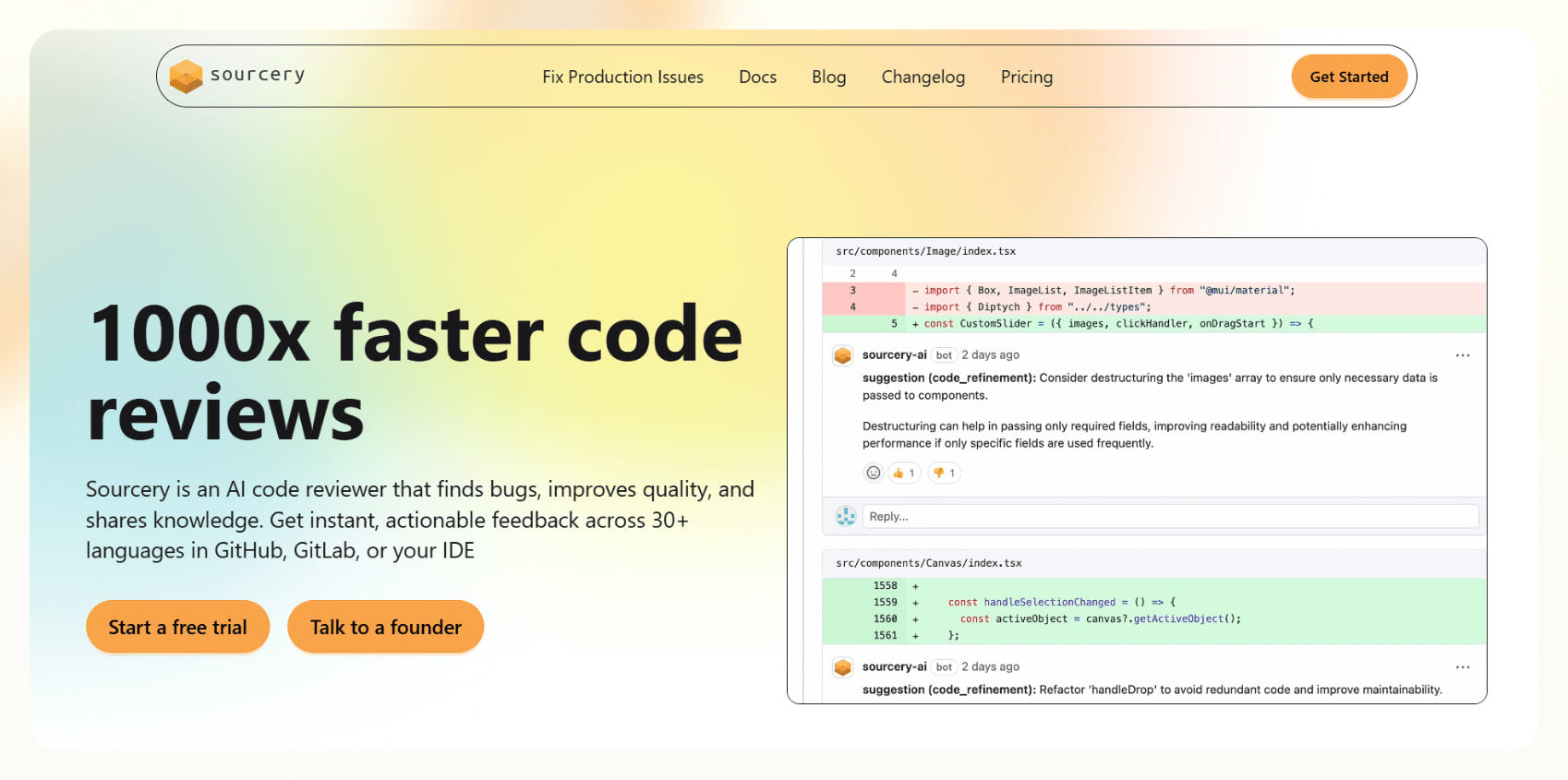
Once installed, Sourcery, came up with quick real-time suggestions to improve code quality and efficiency, especially helpful when dealing with repetitive or messy logic.
One of its standout features is automatic pull request review.
When a PR is opened on GitHub, Sourcery generates a clear summary that outlines what’s changed, which areas need attention, and even suggests cleaner alternatives.
Sourcery made me feel like there’s no need to manually explain every change to my teammates.
While coding, Sourcery continuously flags inefficiencies and proposes cleaner versions.
Like, it can identify unnecessary loops and recommend concise one-liner replacements, saving time and improving readability.
The Review Guide is another useful tool.
It groups related changes and can generate visual diagrams to show how different parts of a project are connected. This is especially helpful when navigating larger or unfamiliar codebases.

Sourcery also adapts based on team feedback.
If suggestions are accepted or dismissed consistently, it learns over time and tailors future reviews to match your team’s coding style, making its guidance smarter and more aligned with how you work.
Pros
- Works with 30+ programming languages, not just Python
- Integrates directly with GitHub, Bitbucket, and Azure DevOps
- You can automatically enforce your own team’s best practices
- Lets you track code quality improvements across your whole team
Cons
- Some extra features require a paid plan
- Takes a little setup if you want to customize review rules for your team
Pricing
- Open Source Plan (Free): Use on public repos, Full access to Pro features on open projects
- Pro Plan ($12 per seat/month): Private repo support, Custom code review rules, Pull request summaries, and visualizations
How I Tested the Best AI Coding Tools
The best AI coding tool in 2025 is one that:
- Explains code clearly when you’re stuck
- Handles real-world coding, not just tiny examples
- Helps you write code faster without making more mistakes
- Works inside your normal editor, without needing a bunch of extra steps
To pick the best ones, I tested more than 30 apps using AI to code and checked each one using the same method:
How I Tested the Tools
Each one was put through the same process to keep things fair and focused on real developer needs.
- Smart, Useful Code Suggestions
I wrote code in Python, JavaScript, and Java, then watched how well the tool picked up on what I needed next. The best ones didn’t just autocomplete, they gave full, working lines or even complete functions that made sense in context. - Clear Explanations and Fixes
Broken code and tricky bugs were part of the test. Some tools just patched errors; others explained what went wrong in plain language. The ones that actually taught me something stood out. - Easy to Set Up and Use
I skipped the manuals and tried getting each tool running as quickly as possible. If it worked right in the browser or installed in a few clicks, it scored better. Anything that required server setup or a bunch of config steps got marked down. - Handles Big, Messy Projects
The test wasn’t just a single file. I threw full projects at these tools and looked for ones that could track functions across files, understand project structure, and keep up with real dev environments. - Gets Better Over Time
Some tools felt smarter the longer I used them. I looked for features like remembering my coding style, offering tweakable settings, or letting me choose between fast or more in-depth AI models.
Can a Coding Tool Naturally Fit in Your Workflow?
Yes, coding tools can be designed to integrate naturally into a developer's workflow, particularly with the rise of AI-powered tools.
Forget clunky tools that just autocomplete code.
Try Lindy, the all-in-one AI coding partner that actually understands what you're building.
Here's why it stands out:
- Speaks Developer: Powered by GPT-4, it interprets your requests in a simple conversational tone (in English or your language of choice), whether you need debugging, optimizations, or data analysis.
- Works Where You Do: Integrates easily into your existing setup and automates repetitive tasks (think: fixing common errors, generating boilerplate, or even reviewing PRs).
- Molds to Your Workflow: Customize your own AI agent to handle niche tasks, with no coding required.
For teams, Lindy scales effortlessly, allowing multiple AI agents to collaborate on projects like a perfectly synchronized dev team. Traditional coding assistants suggest snippets; Lindy solves problems.
Frequently Asked Questions
What Is the Best AI Tool for Coding?
Lindy is one of the best AI coding tool for developers who want a smart, customizable assistant that goes beyond autocomplete, handling everything from code generation to workflow automation.
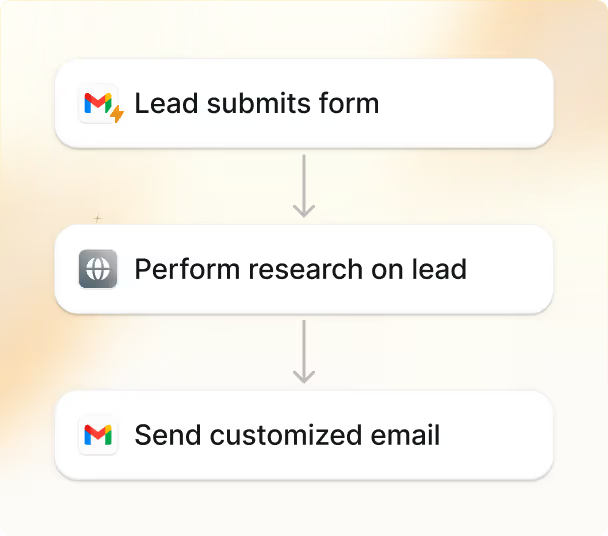
Not to mention, with Lindy, you get custom templates to automate your workflows, without needing to write a single line of code.
Those who don’t mind a bit of technicality can try GitHub Copilot.
It helps you write code faster, fix small mistakes as you go, and even explain parts of your code if you get stuck.
It works with lots of languages like Python, JavaScript, and Java, and feels like a real coding helper that saves you time.
What Can I Do With An AI Coding Tool?
An AI coding tool can help you:
- Clean up messy or repetitive code
- Find and fix bugs while you’re still typing
- Explain any confusing code in simple words
- Translate code from one language to another
- Create unit tests without starting from scratch
- Help you learn languages and frameworks faster
- Write code faster by suggesting lines and blocks
- Review your code before you even push it to GitHub
- Save hours of boring work so you can focus on building cool stuff
In short, AI coding solutions make your work easier, faster, and a lot less stressful.
Can I Use These AI Coding Tools Without Knowing Much About Coding?
Yes, you can use many AI coding tools without extensive coding knowledge, especially if you're starting with no-code or low-code platforms.
Some tools, like Replit Ghostwriter and Claude, are easy even if you’re just getting started.
You can type simple questions and get real answers or working code.
But tools like Plandex or Qodo are better if you already know a bit about coding.
If you’re looking for something beginner-friendly, stick with Lindy, Ghostwriter, Claude, or even ChatGPT.
{{cta}}
How Much Do AI Coding Tools Cost?
The cost of AI coding tools range from free to $50+/month, based on features and usage:
- Free Plans Available: aiXcoder, Code LMs (Open Source), Lindy (limited free tier)
- Budget-Friendly (< $10/month): GitHub Copilot ($4), Tabnine, CodeGeeX, Hugging Face
- Mid-Range ($10–$25/month): Codiga, Sourcery, Claude AI, ChatGPT Plus, Replit Ghostwriter, Cursor, Amazon Q, Snyk, Sourcegraph Cody
- Scalable / Premium Plans ($30+): Plandex ($30+), Lindy ($49.99+), Visual Studio IntelliCode ($99.99/year)
Can AI Coding Tools Replace Developers?
No, AI coding tools are unlikely to completely replace developers.
AI coding tools help you:
- Fix errors quicker
- Learn new stuff easily
- Review your code smarter
But real developers still need to plan projects, design systems, solve tricky problems, and build apps the AI can’t imagine on its own.
Are AI Coding Tools Safe to Use?
Yes, but AI-generated code may contain vulnerabilities.
Reliance on AI tools for programming without proper review and security testing can lead to unsafe code..
Cursor has a Privacy Mode so your code stays private.
And companies like Lindy, Amazon, and GitHub build strong security into their AI tools.
Still, if you’re working with secret projects or important business code, it’s smart to double-check what security options each tool has.



.png)
.png)
.png)
.png)
.png)
.png)


